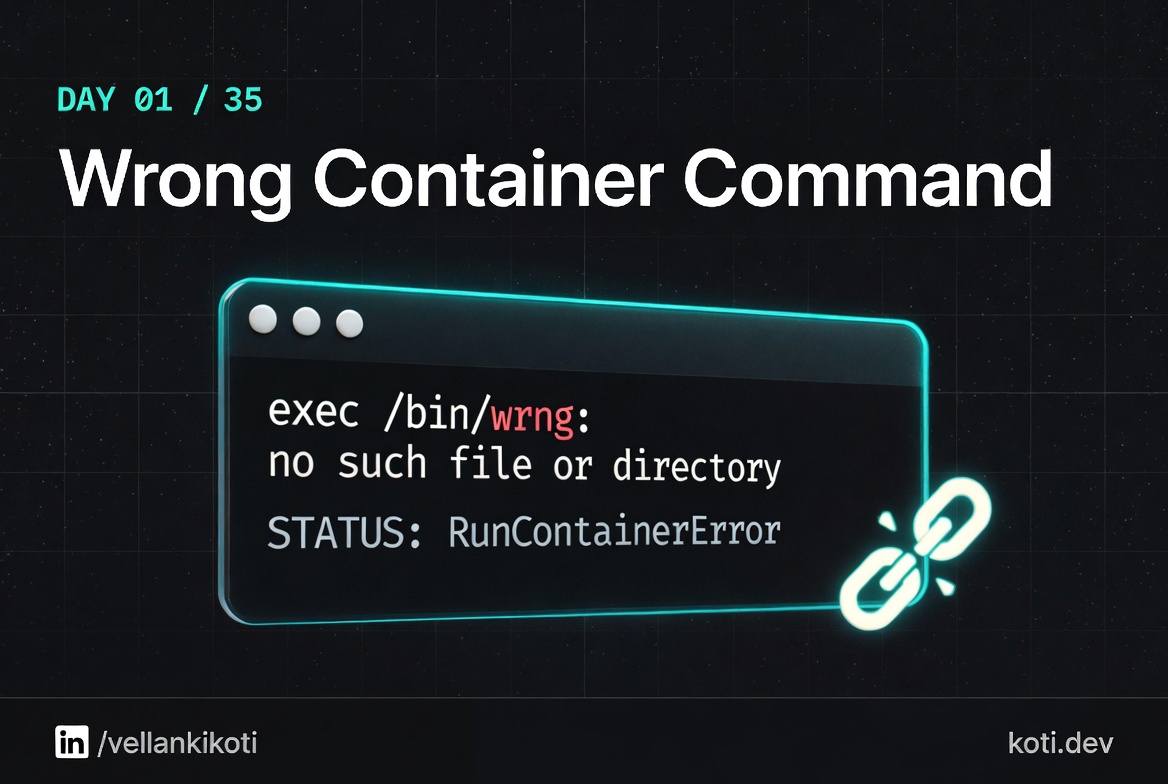
2:07 AM. A Helm chart update just rolled to production and every new pod is stuck at RunContainerError. My manager is typing in Slack. The image pulled fine, the node has capacity, the previous revision is still serving traffic but the HPA is about to scale it and I am one event away from a real outage. I run kubectl logs and get nothing because the container never produced a single byte of stdout. The status column says four words. No stack trace. No hint. Just a pod that refuses to exist, yaar, and a clock that is not on my side.
The scenario
This one comes from my open-source repo troubleshoot-kubernetes-like-a-pro. You are going to reproduce the exact failure on your own cluster so the next time you see RunContainerError at 2 AM, your muscle memory takes over.
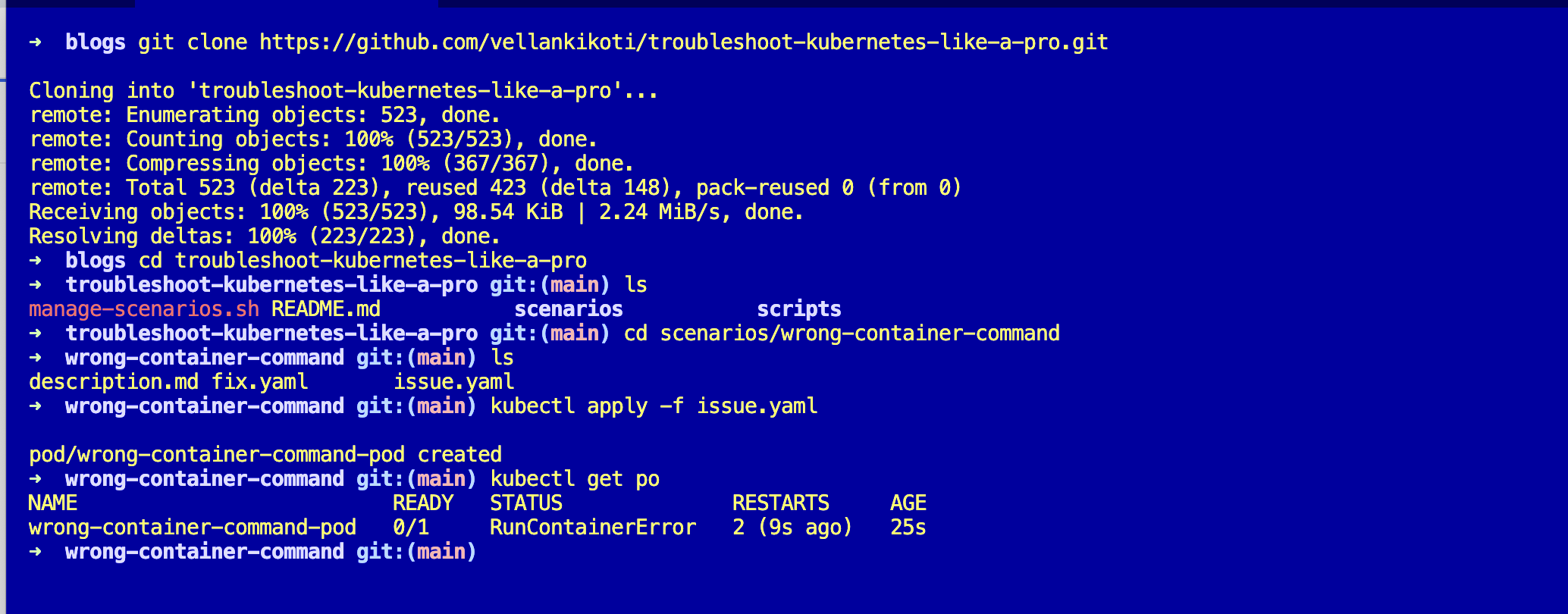
git clone https://github.com/vellankikoti/troubleshoot-kubernetes-like-a-pro.git
cd troubleshoot-kubernetes-like-a-pro/scenarios/wrong-container-command
lsYou will see three files: description.md with the background, issue.yaml with the broken pod, and fix.yaml with the working version. This assumes you already have a cluster running from Day 0, cloud or local, it does not matter.
Reproduce the issue
Apply the broken manifest.
kubectl apply -f issue.yaml
kubectl get podsNAME READY STATUS RESTARTS AGE
wrong-container-command-pod 0/1 RunContainerError 2 38sThere it is. RunContainerError, two restarts, the pod is burning cycles and telling you absolutely nothing about why.
Debug the hard way
First instinct, logs.
kubectl logs wrong-container-command-podError from server (BadRequest): container "busybox" in pod "wrong-container-command-pod" is waiting to start: StartErrorEmpty. The container never reached a running state so there is no stdout to read. Juniors retry this command three or four times hoping it changes. It never will.
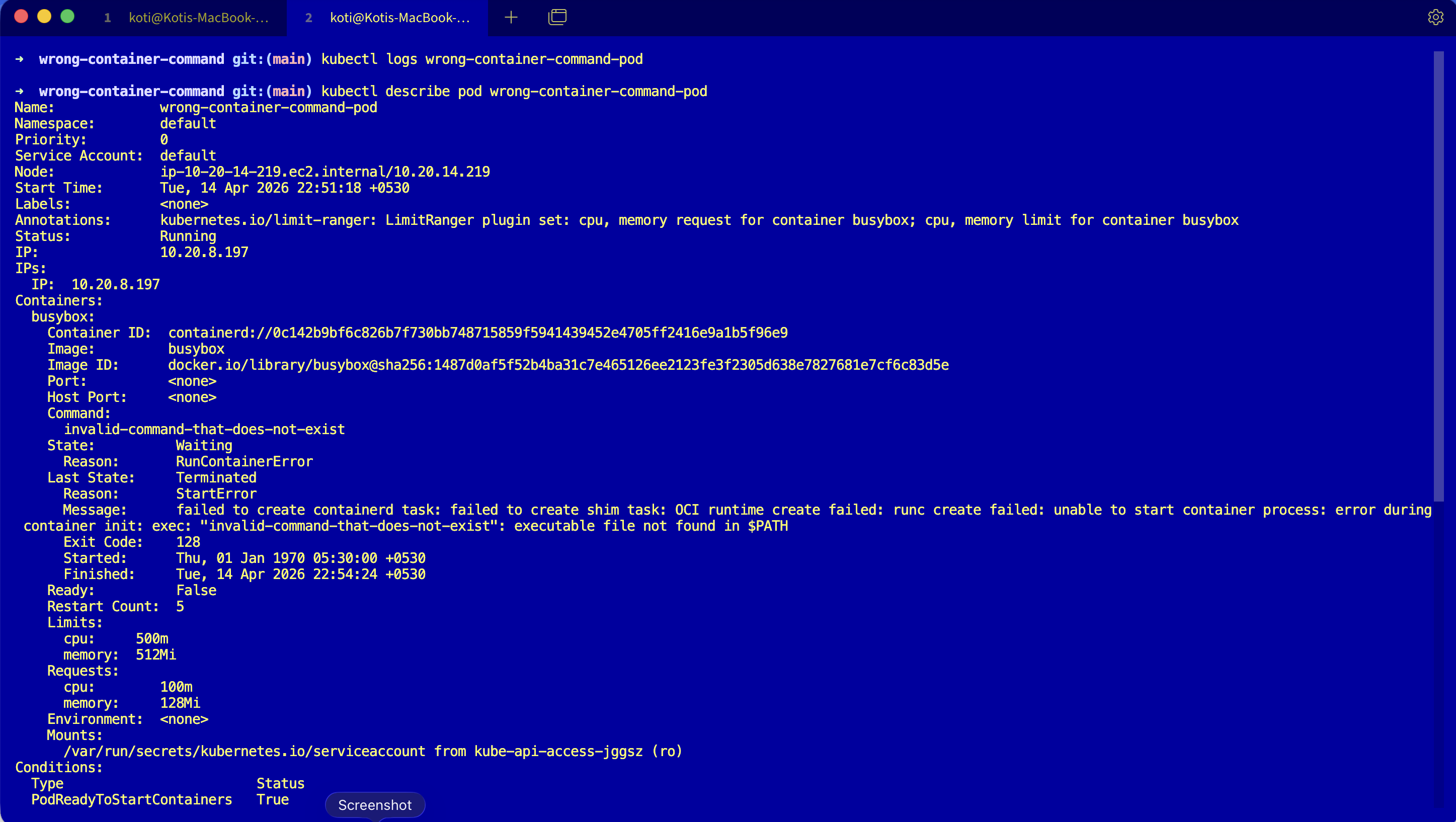
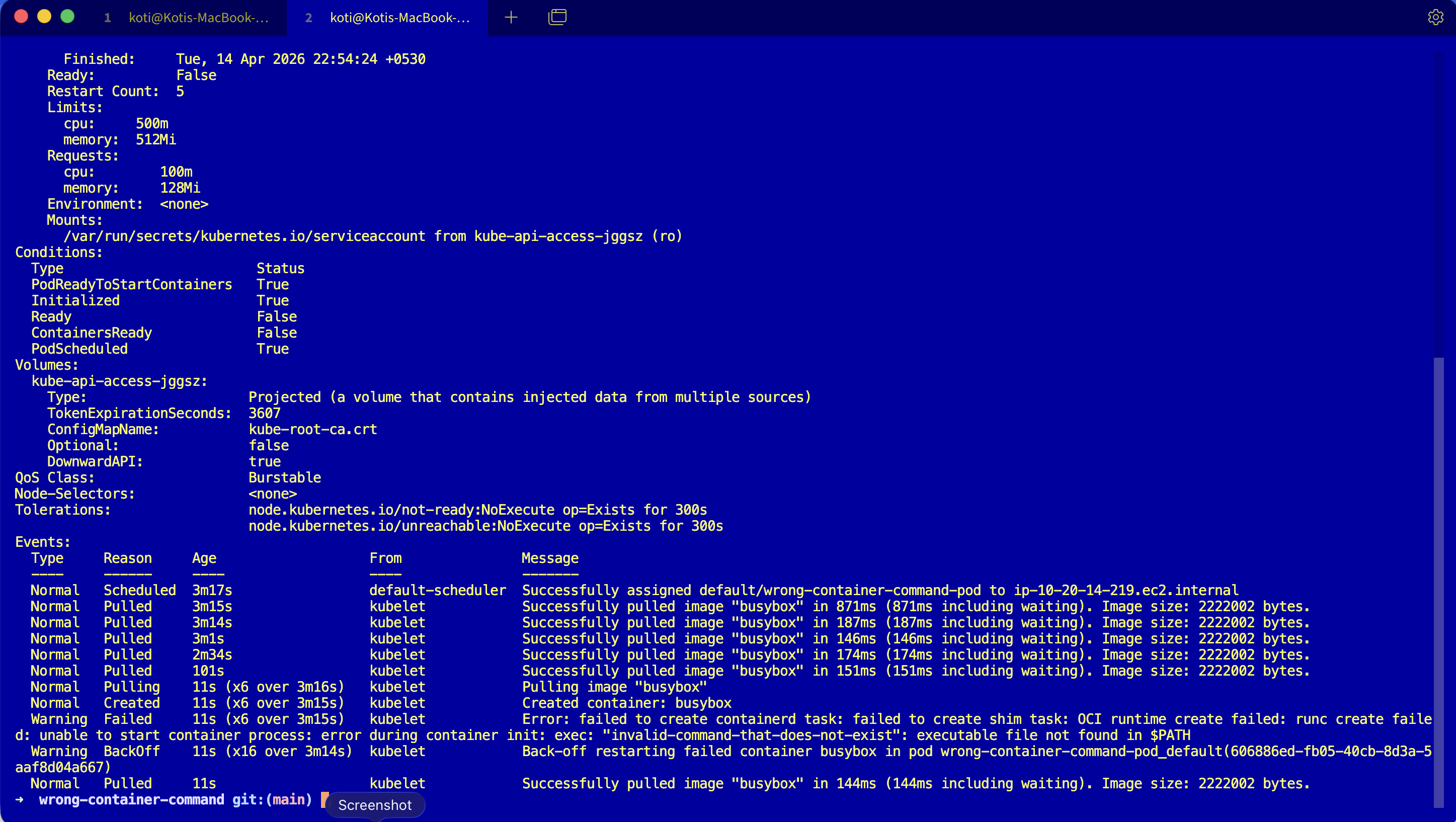
Try describe, scroll past volumes and conditions and tolerations until you hit the events block.
kubectl describe pod wrong-container-command-podEvents:
Type Reason Age From Message
---- ------ ---- ---- -------
Normal Pulled 30s (x3 over 45s) kubelet Successfully pulled image "busybox"
Warning Failed 29s (x3 over 45s) kubelet Error: failed to create containerd task:
failed to create shim task: OCI runtime
create failed: runc create failed: unable
to start container process: exec:
"invalid-command-that-does-not-exist":
executable file not found in $PATHRead that carefully. Pulled is Normal, so the image is fine. Failed is where the truth lives. The last line is the whole story: executable file not found in $PATH. The kubelet did its job, containerd did its job, runc tried to exec the command and the binary was not there.
Why this happens
When you set command: in a pod spec, you override the image's ENTRYPOINT completely. The kubelet hands the pod to the container runtime, containerd creates a task, and runc does an execve with the first element of your command: array. If that path does not resolve inside the container's filesystem, execve returns ENOENT and the container never becomes a running process. There is no stdout because there is no process. There are no application logs because there is no application.
The image is fine. The path inside it is not.
The kubelet pulled the image, runc tried to exec, the kernel returned ENOENT. The container never became a process — there is nothing to log because there is no application.
The pod spec points at a missing binary
The command: array overrides the image's ENTRYPOINT. The first element must resolve inside the container's filesystem.
runc calls execve directly
The OCI runtime invokes execve(2) with the path. There is no shell, no PATH search beyond what the kernel does — if the path is absolute, it must exist verbatim.
The kernel returns ENOENT — no app ever runs
execve fails before any user-space code starts. There is no PID, no stdout, no application log. The kubelet sees the failure and reports RunContainerError on the pod.
If you remember only one thing: this failure is not an app crash — it is a process start failure before your app ever runs.
The pod is not broken at the Kubernetes level. It is broken at the Linux level, one layer below where most people look.
The fix
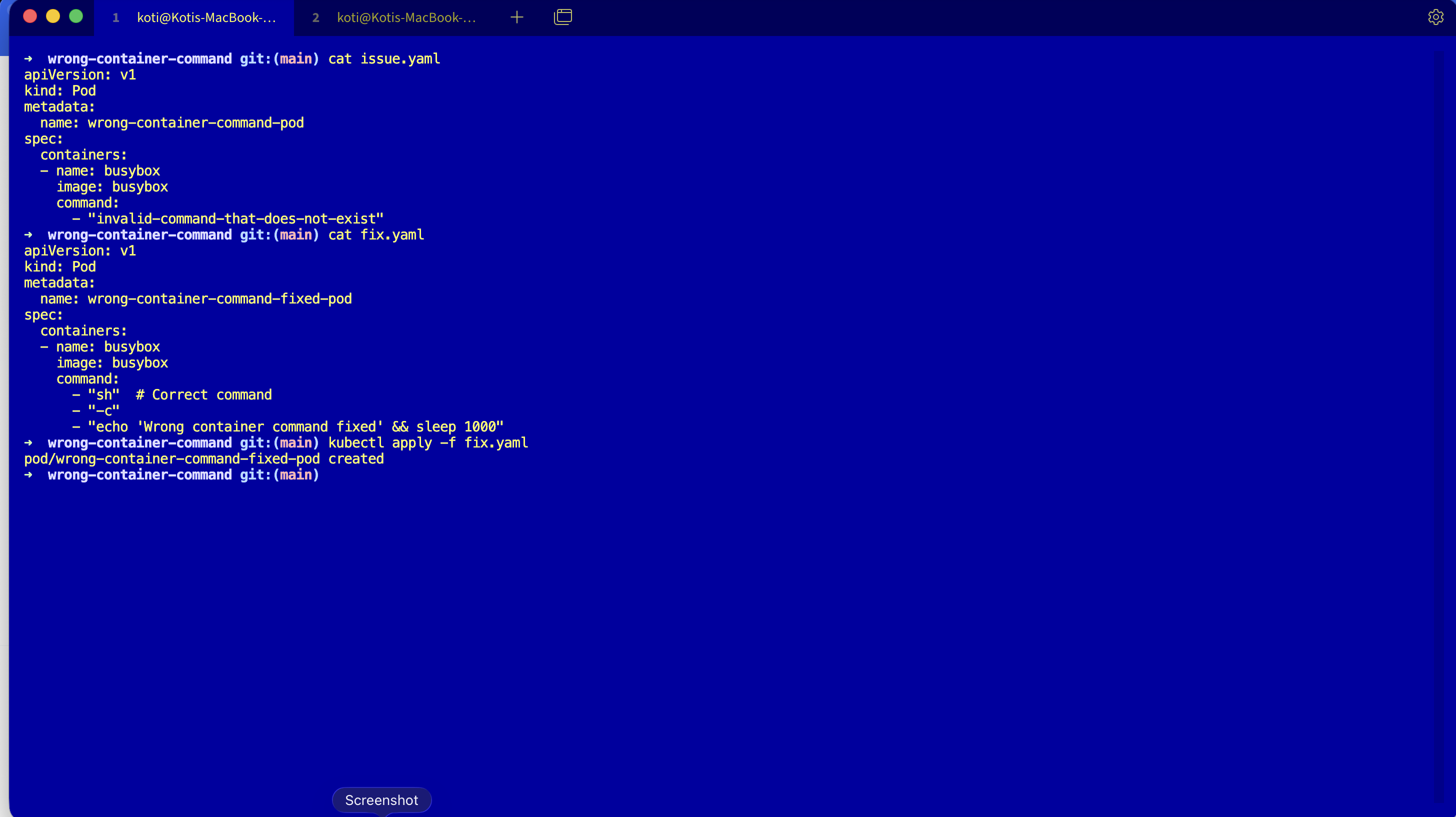
Apply the fixed manifest.
kubectl apply -f fix.yaml
kubectl get podsThe key change is in the command: array. The broken version was pointing at a binary that does not exist in the busybox image:
command:
  - "sh"
  - "-c"
- "echo 'Wrong container command fixed' && sleep 1000"sh exists. It is in /bin/sh. runc finds it, execs it, the container enters the running state.
NAME                                READY   STATUS    RESTARTS   AGE
wrong-container-command-fixed-pod   1/1     Running   0          4s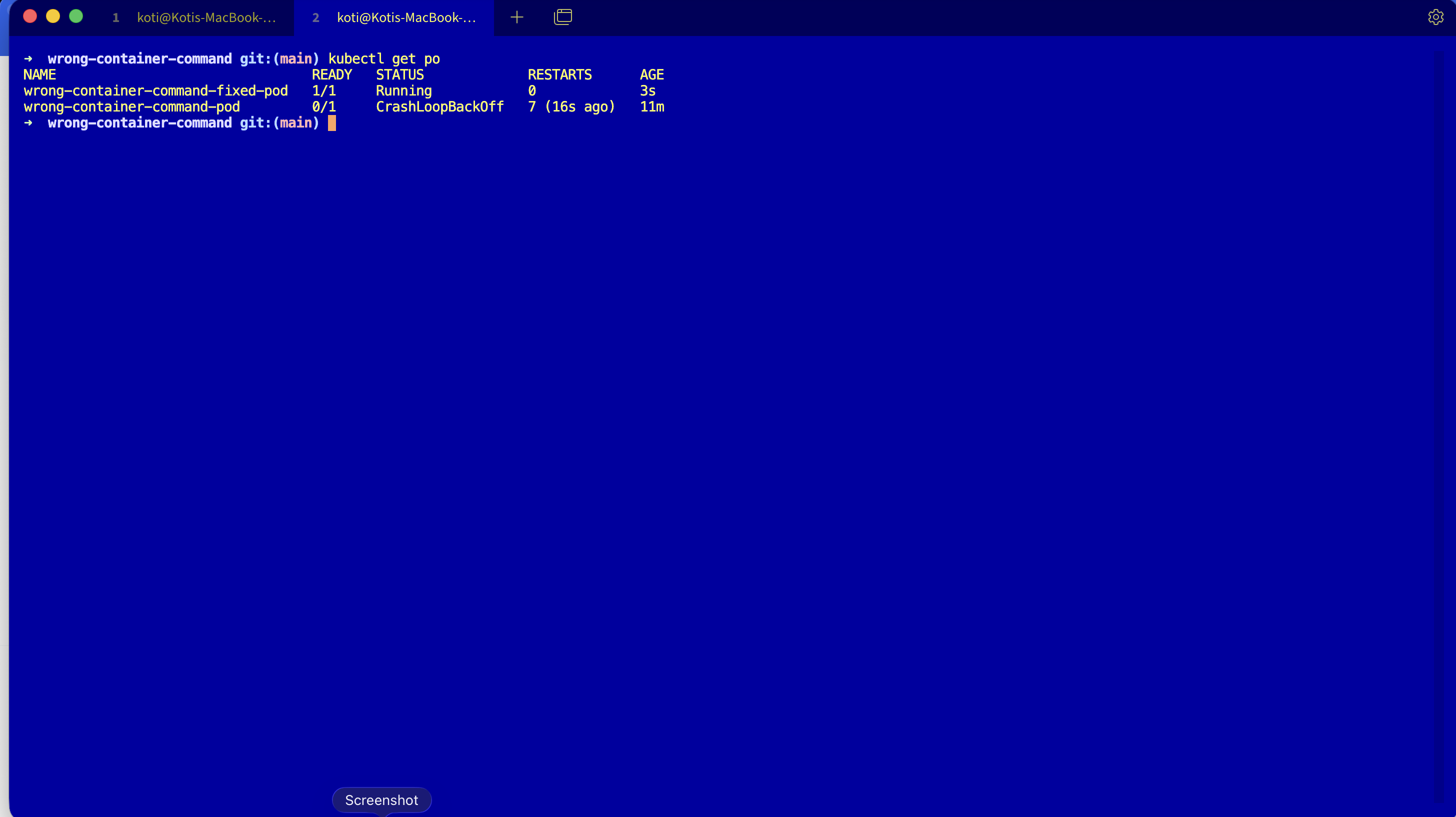
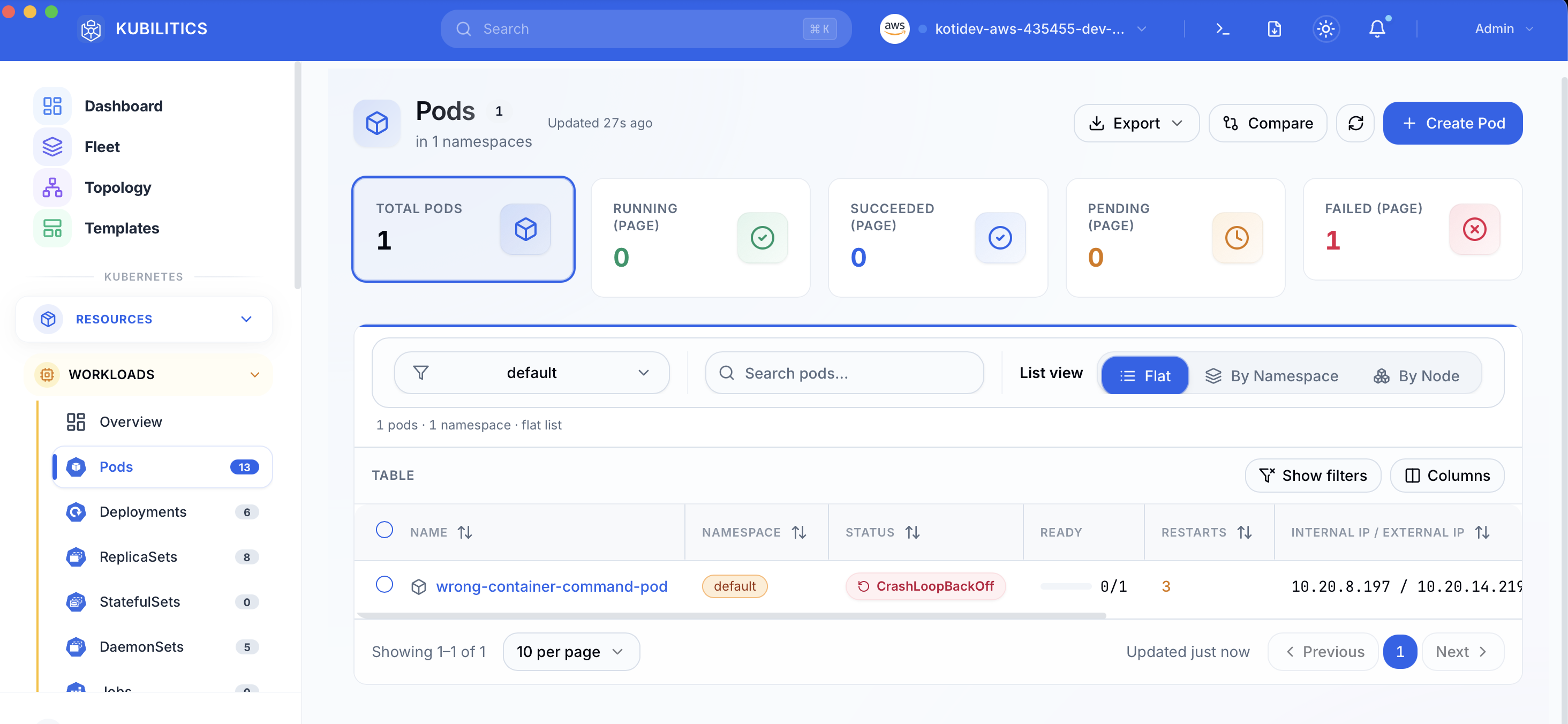
The easiest way — with Kubilitics
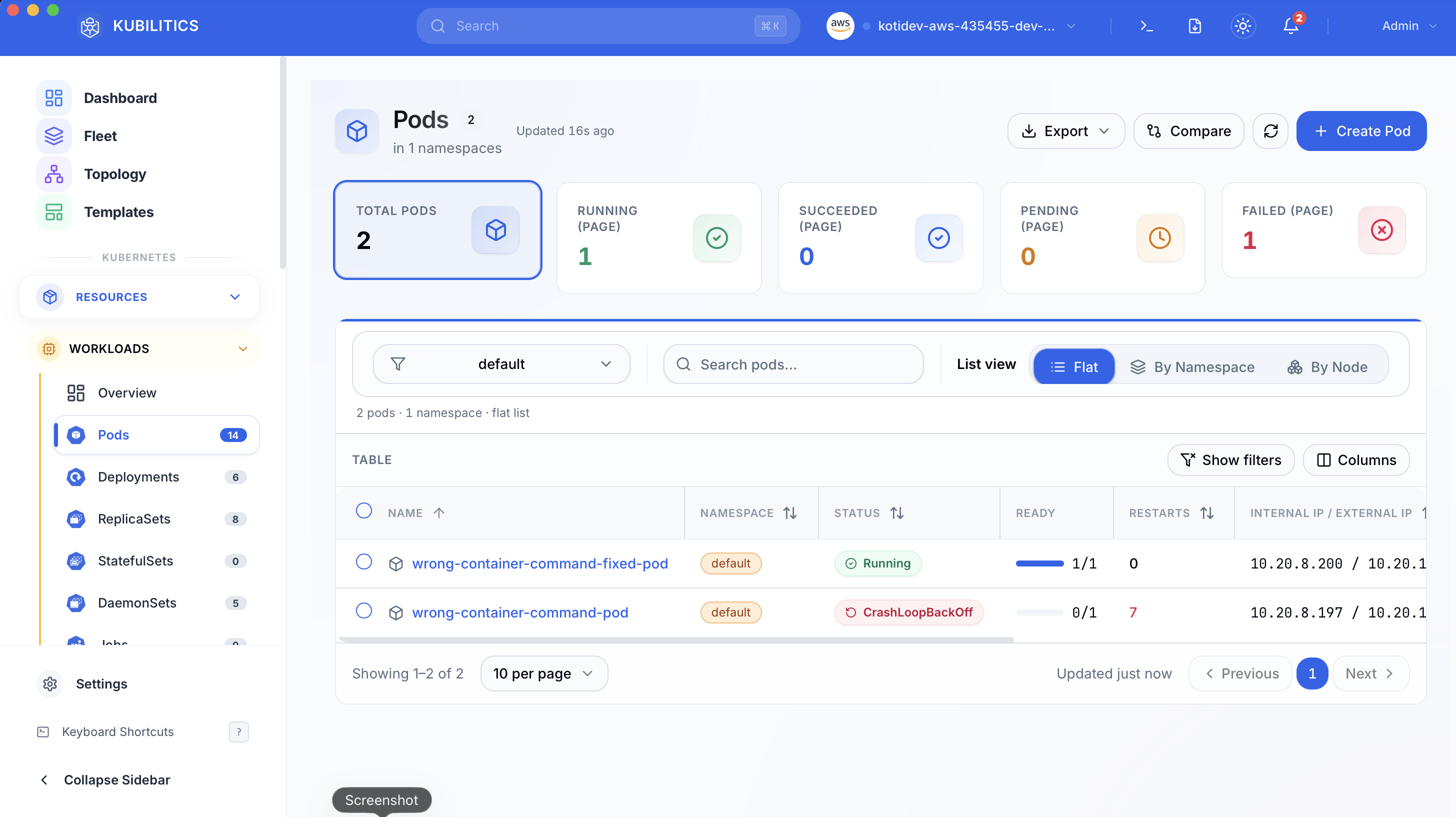
Open the Pods view. The failing pod is already badged with its status and the failure counter is front and centre.
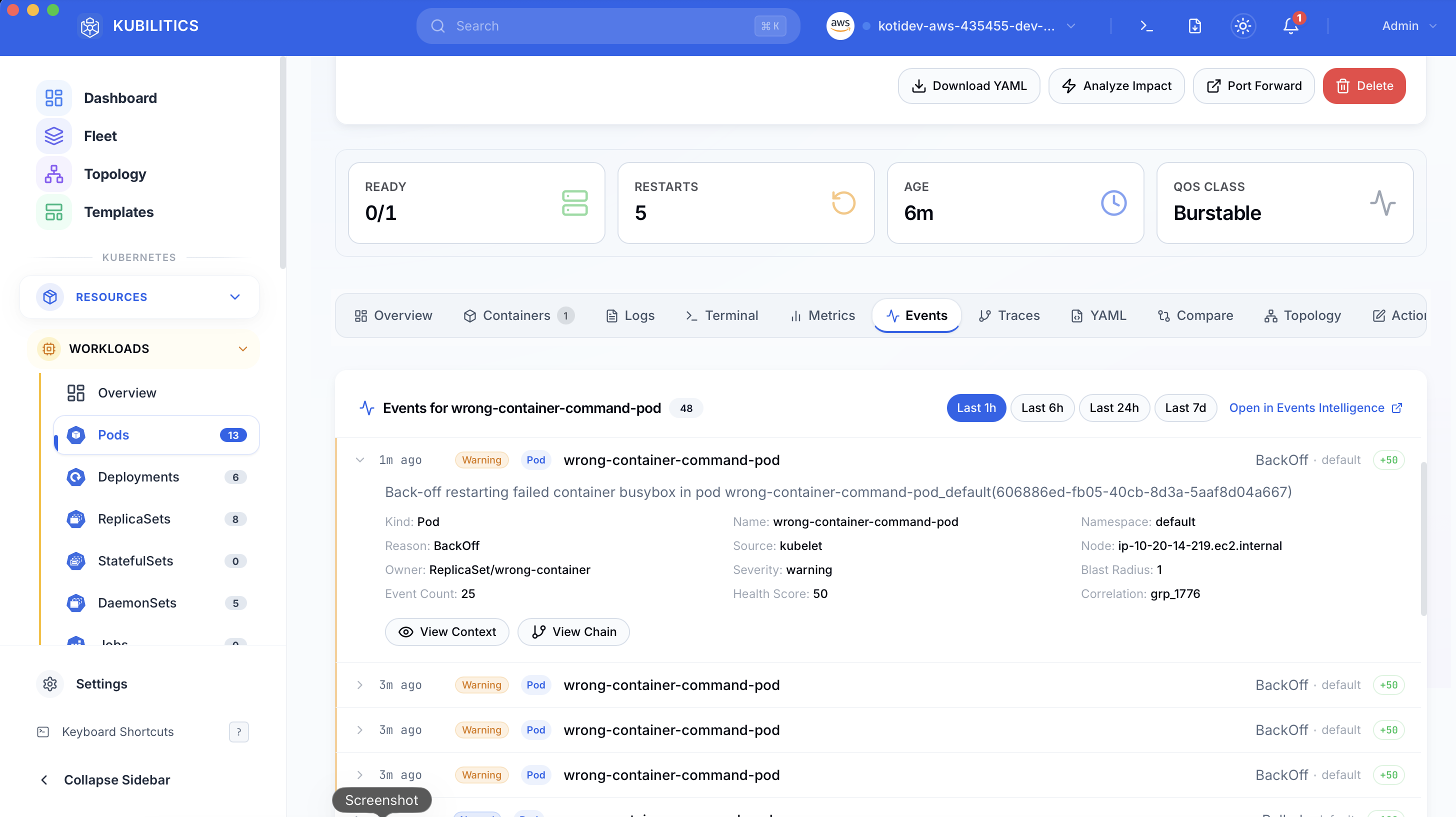
Click the pod and jump to the Events tab. Kubilitics groups the kubelet events by severity and collapses the noise, so the Warning line about the missing binary sits at the top of the list instead of buried in a wall of Normal Pulled events.
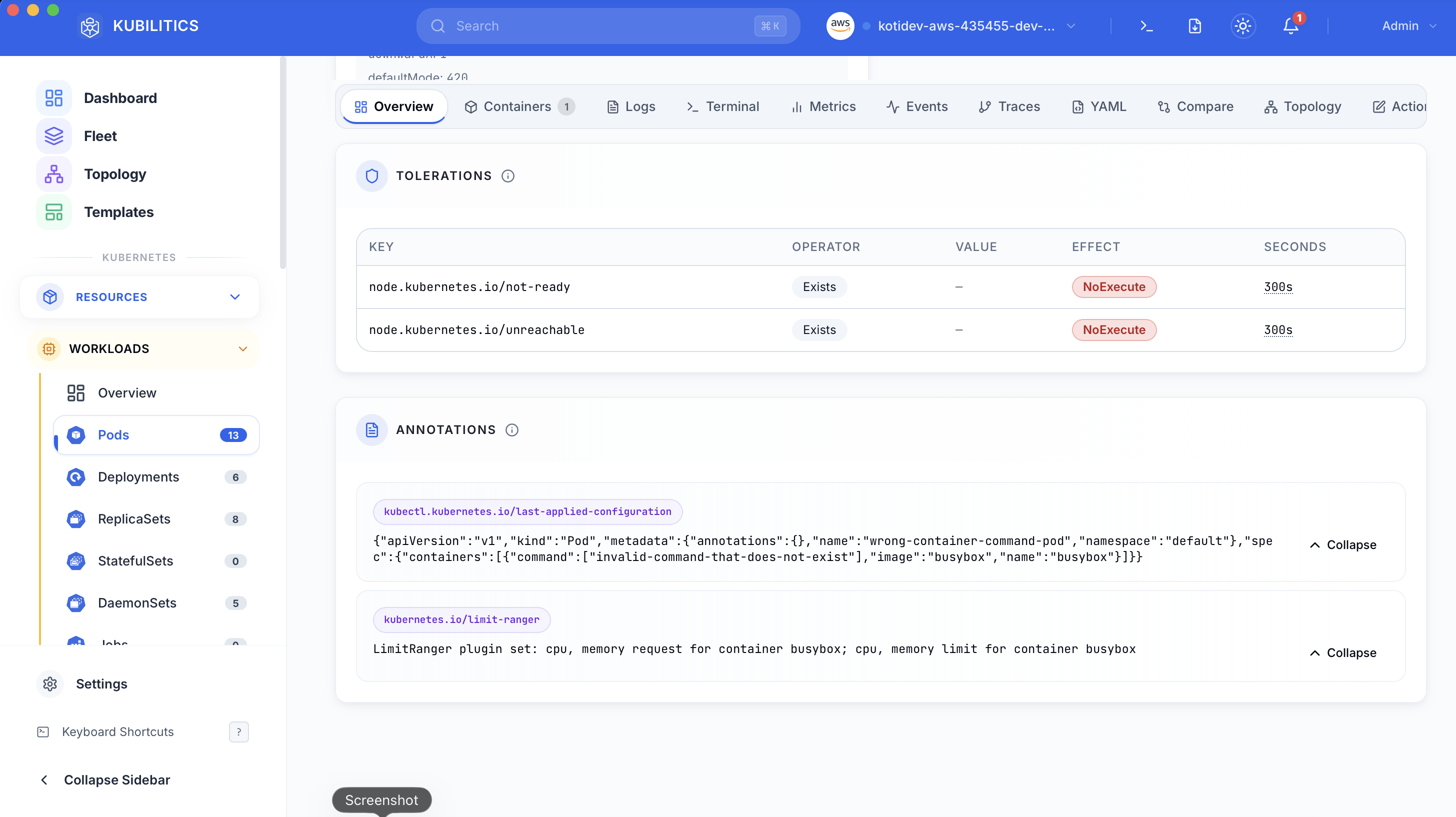
The Overview tab shows the full pod spec with Annotations and Tolerations expanded. The bad command: array is right there in the rendered YAML, one click away from confirming the root cause without leaving the app.
After kubectl apply -f fix.yaml, the list refreshes in real time. The fixed pod shows green, the broken one is still badged red, and you can see both outcomes at a glance while deciding whether to delete the old pod.
The lesson
- When a pod status is
RunContainerError, stop reading logs. Read theFailedevent message and look for the runc line. command:overrides ENTRYPOINT. You own the full exec path. Test it inside the image before you ship the YAML.- Empty logs are a diagnostic signal, not a dead end. If there is no stdout, the container never ran, which means the problem is in the runtime, not the app.
Day 1 of 35 — tomorrow the container does start, several times a minute, and still will not stay alive.