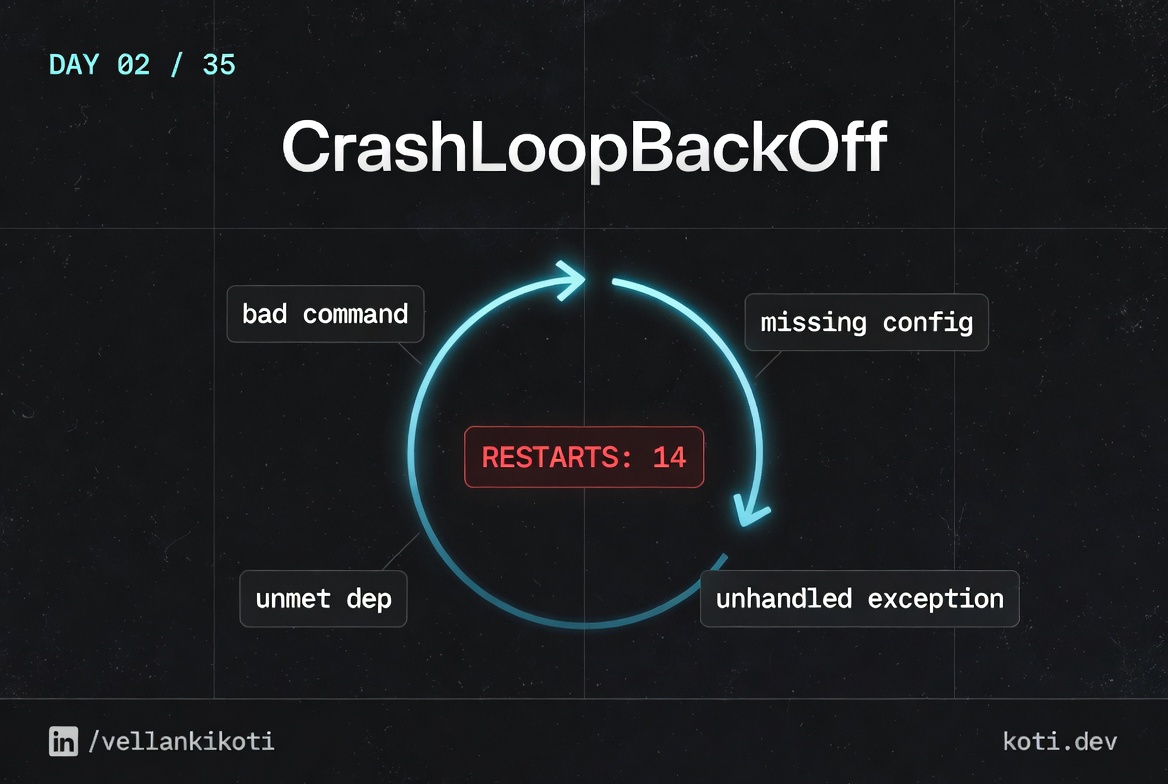
2:14 AM. Payments service, RESTARTS column climbing like a stock chart, monitoring is paging me every 90 seconds and the pod is stuck in CrashLoopBackOff with nothing useful in the logs. I run kubectl logs and get the current container's output which is empty because it has been alive for less than a second. I run --previous and get an error saying the previous container does not exist. The pod has restarted fourteen times in two minutes and I still cannot see a single line of application output. This is the trap every engineer falls into on their first real CrashLoopBackOff. The symptom is loud, the signal is silent.
The scenario
The container starts. It keeps exiting.
The container image pulls fine, the pod reaches Running, and then the process exits with a non-zero code. kubelet restarts it. Each restart is delayed by exponential backoff. The pod status cycles Running → Error → CrashLoopBackOff. The cause is always in kubectl logs --previous.
The container cycles through three states
Every restart follows the same path: Running → Error (exit 1) → CrashLoopBackOff (waiting) → kubelet restarts → repeat. CrashLoopBackOff is a symptom, not the cause.
kubelet backs off exponentially between restarts
The restart delay starts at 10s and doubles each time: 10s → 20s → 40s → 80s… up to a 5-minute ceiling. restartCount in kubectl describe pod tells you how many times the container has already exited.
kubectl logs --previous is where the truth lives
The current container is usually in backoff, not running. Pass --previous to read the logs from the last crashed instance. That is where the stack trace or error message will be.
This comes from my troubleshoot-kubernetes-like-a-pro repo. You will break a pod yourself, time the backoff, read the exit code, and build the mental model once so you never have to guess again.
git clone https://github.com/vellankikoti/troubleshoot-kubernetes-like-a-pro.git
cd troubleshoot-kubernetes-like-a-pro/scenarios/crashloopbackoff
lsThree files: description.md, issue.yaml, fix.yaml. Assumes you already have a working cluster from Day 0.
Reproduce the issue
kubectl apply -f issue.yaml
kubectl get podsWait about twenty seconds and run it again.
NAME                   READY   STATUS             RESTARTS      AGE
crashloopbackoff-pod   0/1     CrashLoopBackOff   5 (12s ago)   2m14s
Five restarts, the last one twelve seconds ago, and the pod has been alive for just over two minutes. The backoff timer is already kicking in.

Debug the hard way
Reach for logs.
kubectl logs crashloopbackoff-podEmpty. The container is sh -c "exit 1" so it dies before producing any output. Try --previous.
kubectl logs crashloopbackoff-pod --previousError from server (BadRequest): previous terminated container "busybox" in
pod "crashloopbackoff-pod" not foundNot helpful. Describe it.
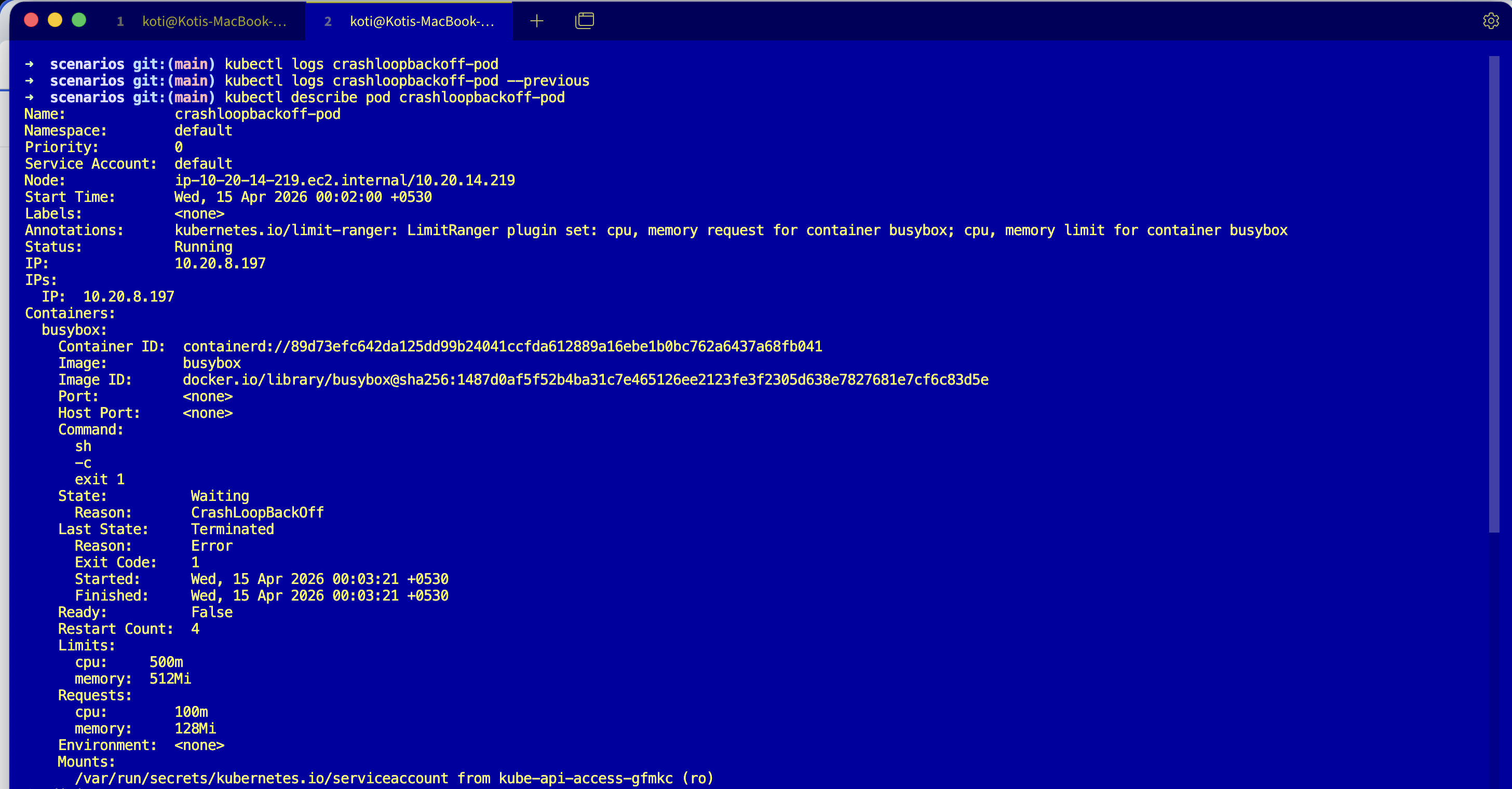
kubectl describe pod crashloopbackoff-podLast State: Terminated
Reason: Error
Exit Code: 1
Started: Sat, 21 Mar 2026 02:14:03 +0530
Finished: Sat, 21 Mar 2026 02:14:03 +0530
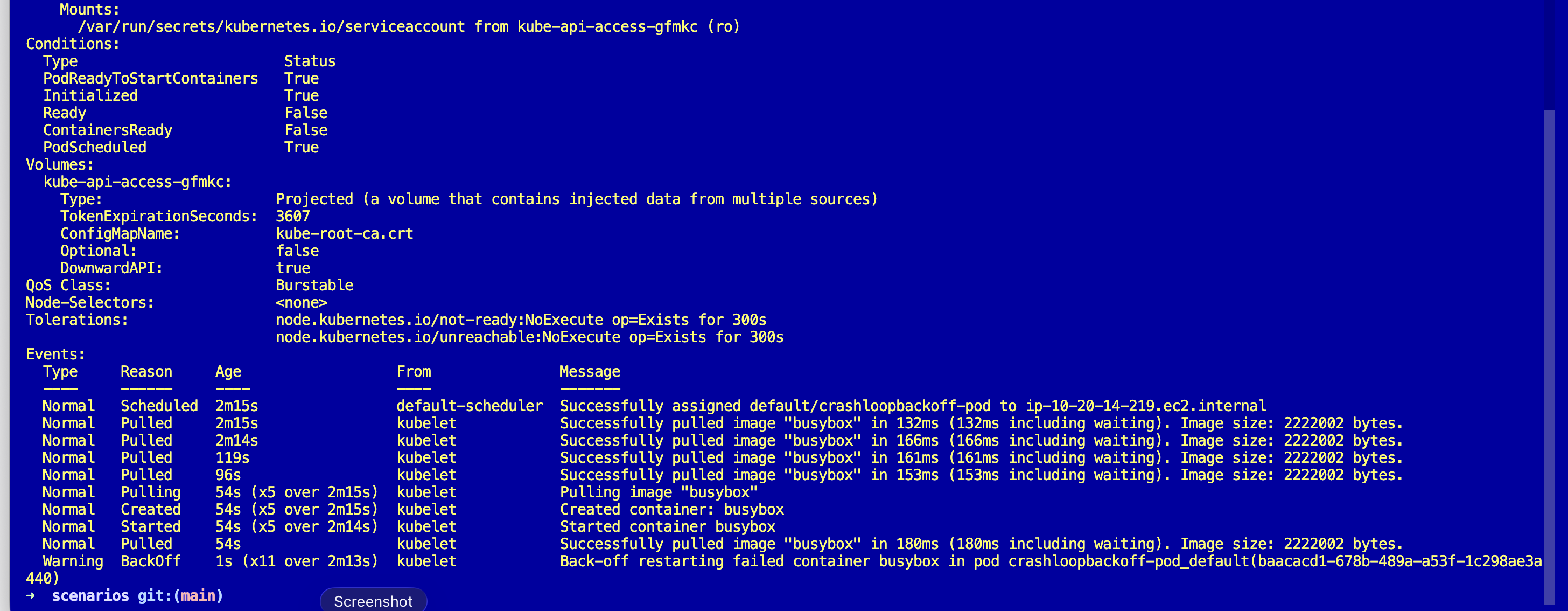
Events:
Type Reason Age From Message
---- ------ ---- ---- -------
Normal Pulled 1m (x6 over 2m) kubelet Successfully pulled image "busybox"
Warning BackOff 8s (x10 over 2m) kubelet Back-off restarting failed containerTwo useful numbers. Exit Code: 1 and a BackOff event that has fired ten times. Started and Finished are the same second, meaning the container lived for milliseconds. That timing is itself a signal.
Why this happens
CrashLoopBackOff is not a cause. It is a state machine. The kubelet starts the container, the container exits, the kubelet waits, starts it again, exits, waits longer. The backoff doubles: 10s, 20s, 40s, 80s, capped at 5 minutes. Kubernetes is being polite, trying not to hammer a broken container while still giving it chances to recover.
The real question is always the same: why did the container exit? The answer is in two places, the exit code and the last stream of logs before it died. Exit code 1 usually means the app ran and failed on its own (config, missing env, unhandled exception). Exit code 137 means something sent SIGKILL (usually OOMKilled or a liveness probe). Exit code 143 means SIGTERM. Exit code 2 often means shell misuse.
And the backoff timing tells you how long the pod has really been crashing. Restart one minute ago, next one five minutes ago? The pod is fully backed off and has been crashing for at least twenty minutes. That is a clock you get for free.
The fix
Apply the fixed version.
kubectl apply -f fix.yaml
kubectl get podsThe only change is the command. The broken pod ran sh -c "exit 1" and the fixed pod runs something that stays alive:
command:
  - "sh"
  - "-c"
  - "sleep 3600"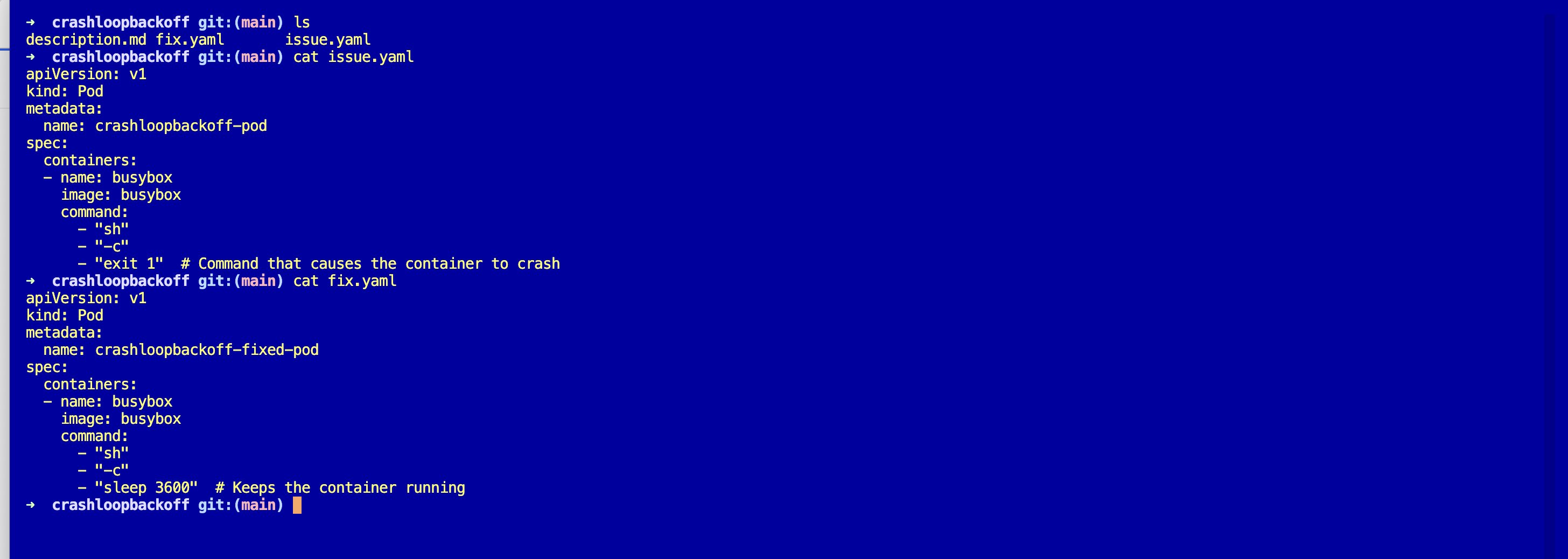
Verify.
NAME                         READY   STATUS    RESTARTS   AGE
crashloopbackoff-fixed-pod   1/1     Running   0          8s
In the real world you are rarely fixing this with sleep 3600. You are fixing the missing config, the bad env var, the unhandled exception. But the shape of the fix is identical: give the main process a reason to keep living.
The easiest way — with Kubilitics
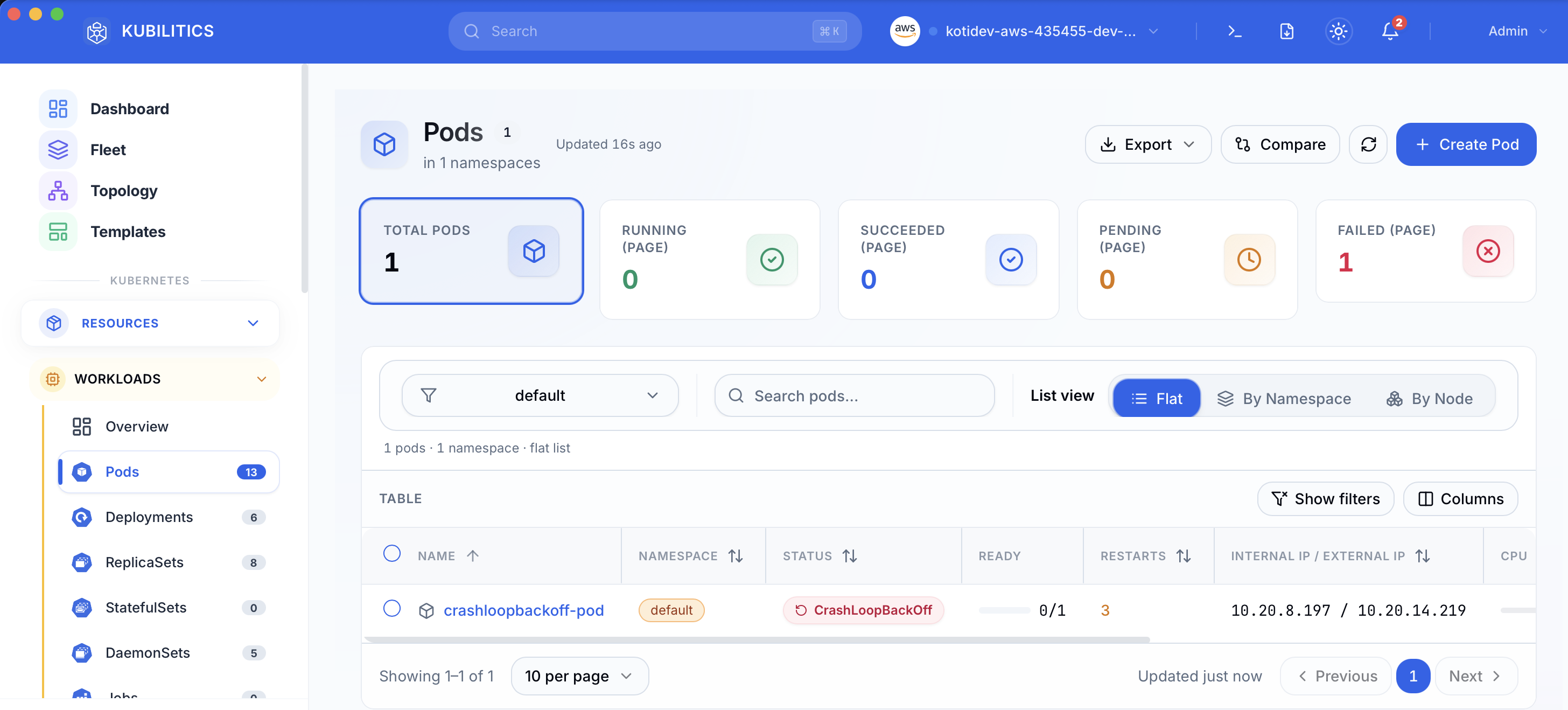
The same debug, surfaced one click at a time. Open the Pods view and the broken pod is already badged with its status and restart count, no kubectl needed.
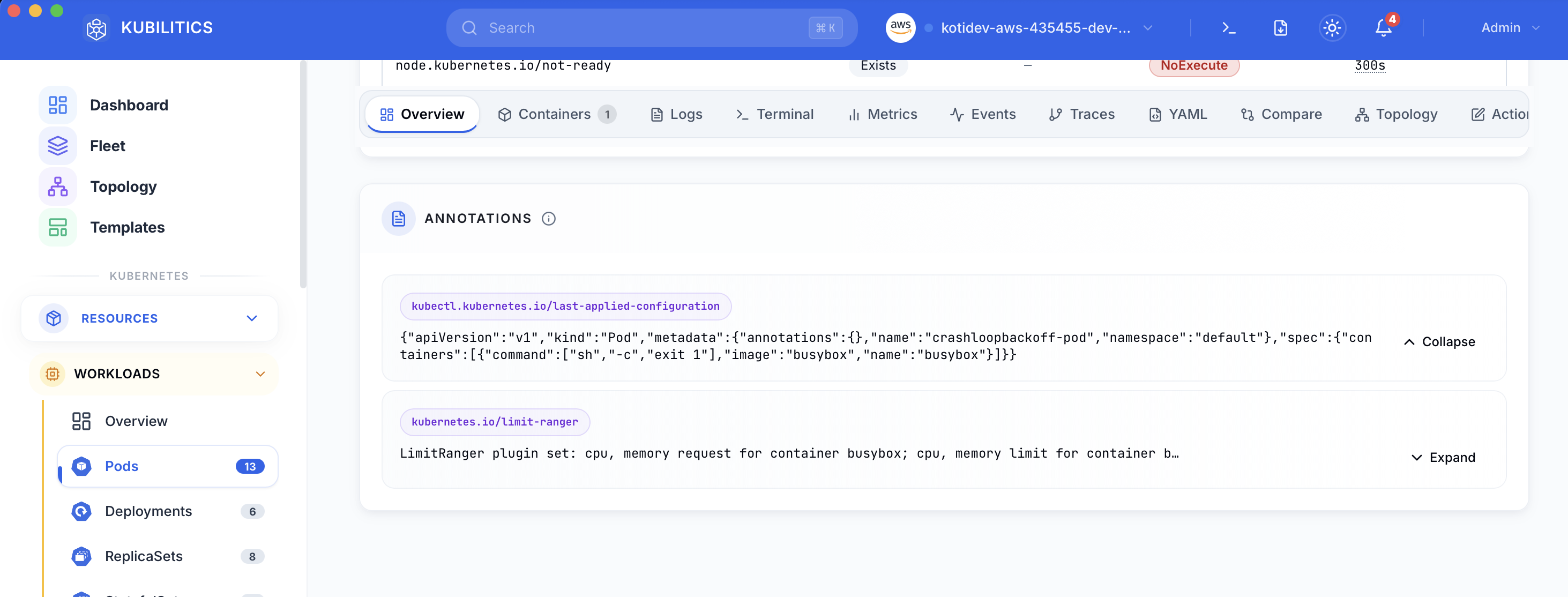
Click the pod and open the Overview tab. The rendered pod spec shows up under Annotations, and the bad command array (sh -c exit 1) is visible inline without running kubectl get pod -o yaml.
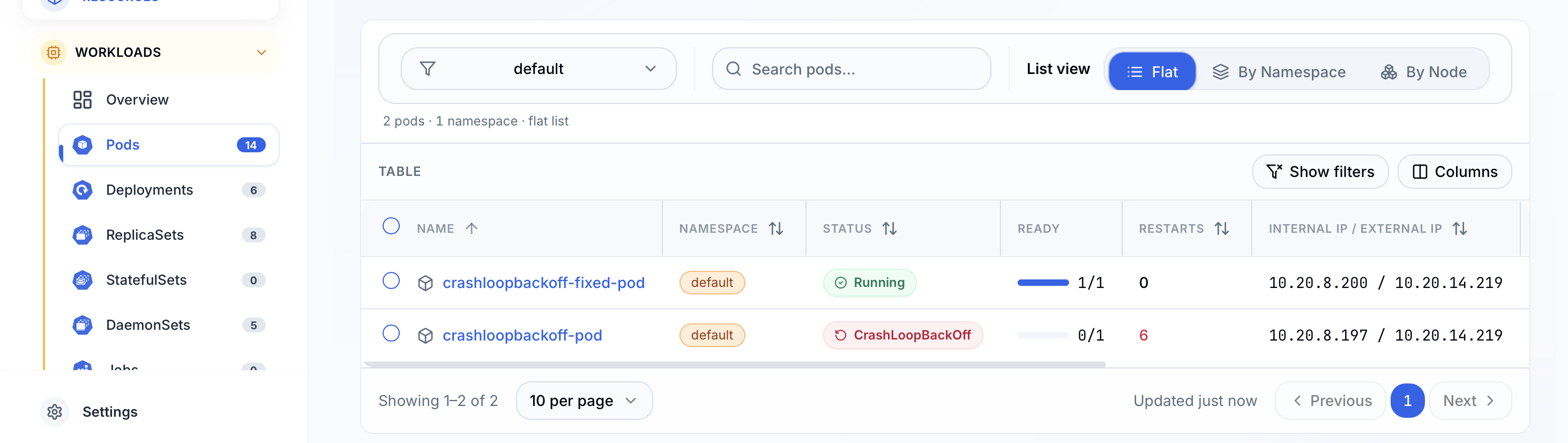
After applying fix.yaml, the list updates in real time. The fixed pod shows green, the original stays red, and you see both outcomes side by side while you decide whether to delete the crashing pod.
The lesson
CrashLoopBackOffis a status, not a cause. The cause lives inLast Stateand--previouslogs.- The exit code is the fastest triage signal.
1is app error,137is SIGKILL,143is SIGTERM,2is shell misuse. Read it first. - The backoff interval is a clock. If you see restarts spaced five minutes apart, the pod has been crashing for at least twenty minutes. You do not need
AGEto tell you that.
Day 2 of 35 — tomorrow the pod does not even make it to the backoff because the image itself never arrives.