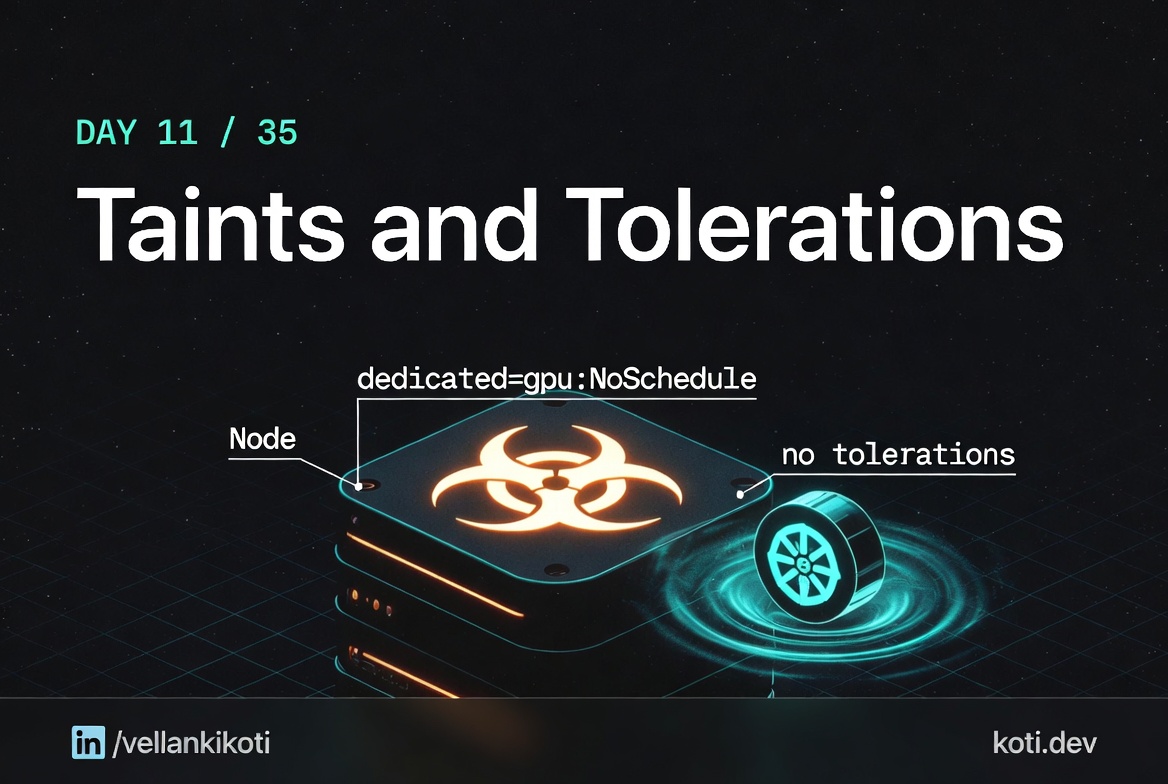
2:02 AM. The on-call rotation just handed me a pager. A monitoring agent DaemonSet has one pod stuck in Pending on a brand new node we added this afternoon. The other three nodes are fine, the DaemonSet is fine there. Only this one new node is refusing the pod. I already know the answer before I start typing, because I have seen this exact shape of bug fifty times. Somebody provisioned the node with a taint and forgot to tell anybody. The DaemonSet does not have a matching toleration. The scheduler does its job and the pod sits.
This is the most common scheduling block in any production cluster I have ever touched. Half the Pending pods I have debugged in seven years were this one thing.
Every node has a taint. The pod has no toleration.
Three GPU nodes are reserved for ML workloads via taint dedicated=gpu:NoSchedule. A regular pod without a matching toleration tries to schedule. The TaintToleration plugin filters every candidate out. The pod stays Pending forever — not because the cluster is broken, but because the pod never opted in.
The pod has no toleration — it never opted in
The pod spec has tolerations: ∅. To land on a tainted node the pod must explicitly declare a matching toleration with the correct key, value, and effect. Without it the TaintToleration predicate filters the node out before any other scheduling check runs.
All three nodes carry the same NoSchedule taint
Every node in this cluster was provisioned with dedicated=gpu:NoSchedule to reserve them for ML workloads. NoSchedule is a hard predicate — it blocks new placements but does not evict existing pods. To schedule here, a pod must declare key: dedicated, value: gpu, effect: NoSchedule.
The scheduler has zero candidates — the pod waits forever
The scheduler event reads 0/3 nodes available: 3 node(s) had untolerated taint. The pod will remain Pending until either a toleration is added to the pod spec or a node without the taint is added to the cluster. Running kubectl describe node <name> | grep Taints shows the taint on every candidate node.
The scenario
git clone https://github.com/vellankikoti/troubleshoot-kubernetes-like-a-pro.git
cd troubleshoot-kubernetes-like-a-pro/scenarios/taints-and-tolerations-mismatch
lsdescription.md, issue.yaml, fix.yaml. The issue pod uses a nodeSelector that asks for a label no node has, which is the same class of problem as a taint without a matching toleration: a constraint that filters every candidate out.
Reproduce the issue
kubectl apply -f issue.yaml
kubectl get pod taints-tolerations-mismatch-podNAME READY STATUS RESTARTS AGE
taints-tolerations-mismatch-pod 0/1 Pending 0 45sPending, and staying Pending. Every minute you wait it is the same answer. Nothing is coming.
Debug the hard way
First stop, describe:
kubectl describe pod taints-tolerations-mismatch-podEvents:
Type Reason From Message
---- ------ ---- -------
Warning FailedScheduling default-scheduler 0/1 nodes are available:
1 node(s) didn't match Pod's
node affinity/selector.Same event pattern as the last two posts. "Didn't match Pod's node affinity/selector" is Kubernetes-speak for "your filter rejected every node." You still have to open the pod spec to see which filter.
kubectl get pod taints-tolerations-mismatch-pod -o yaml | grep -A 3 nodeSelectornodeSelector:
non-existent-taint-label: "true"The pod is demanding a label called non-existent-taint-label. Check the nodes:
kubectl get nodes --show-labelsNAME STATUS LABELS
kind-control-plane Ready kubernetes.io/hostname=kind-control-plane,...No such label. And for the real taint case you would also run:
kubectl describe node kind-control-plane | grep TaintsTaints: node-role.kubernetes.io/control-plane:NoScheduleA control-plane node with a NoSchedule taint. Any pod that wants to land here needs a matching toleration. The DaemonSet in my real incident did not have one. That is the actual bug shape in production.
Why this happens
Taints and tolerations are the opposite half of labels and selectors. A label on a node is an invitation, a taint is a "keep out" sign. A selector on a pod is a preference for a specific kind of node, a toleration is a key that unlocks a taint. Both sides have to agree for a pod to land.
A taint has three parts: key, value, effect. The effect is usually NoSchedule, PreferNoSchedule, or NoExecute. NoSchedule filters during placement. NoExecute also evicts existing pods that do not tolerate it. A pod tolerates a taint by declaring the exact key, value, and effect, with a matching operator.
The failure mode is asymmetric and that is what makes it confusing. Add a taint and every existing pod without a toleration suddenly looks broken. Remove a taint and every tolerating pod still runs fine. The cause and the symptom are on different sides of the cluster. You have to read both.
The fix
kubectl apply -f fix.yaml
kubectl get pod taints-tolerations-fixed-podNAME READY STATUS RESTARTS AGE
taints-tolerations-fixed-pod 1/1 Running 0 3sThe fix manifest drops the nodeSelector. For a real taint problem, the fix is a toleration block on the pod:
tolerations:
- key: "node-role.kubernetes.io/control-plane"
  operator: "Exists"
effect: "NoSchedule"operator: Exists means "I do not care about the value, just that the key is present." It is the most common form I write, because taint values drift across environments but keys usually do not.
The lesson
- A taint on a node and a toleration on a pod are two halves of the same contract. Both sides have to be read to debug the failure.
NoScheduleonly blocks new placements.NoExecutealso evicts. Know which you are dealing with before you start editing.- When a DaemonSet works on three nodes but not on a fourth, the fourth has a taint. Always.
Day 11 of 35 — tomorrow, a hundred replicas, a cluster autoscaler that refuses to scale, and the four signals that tell you why.