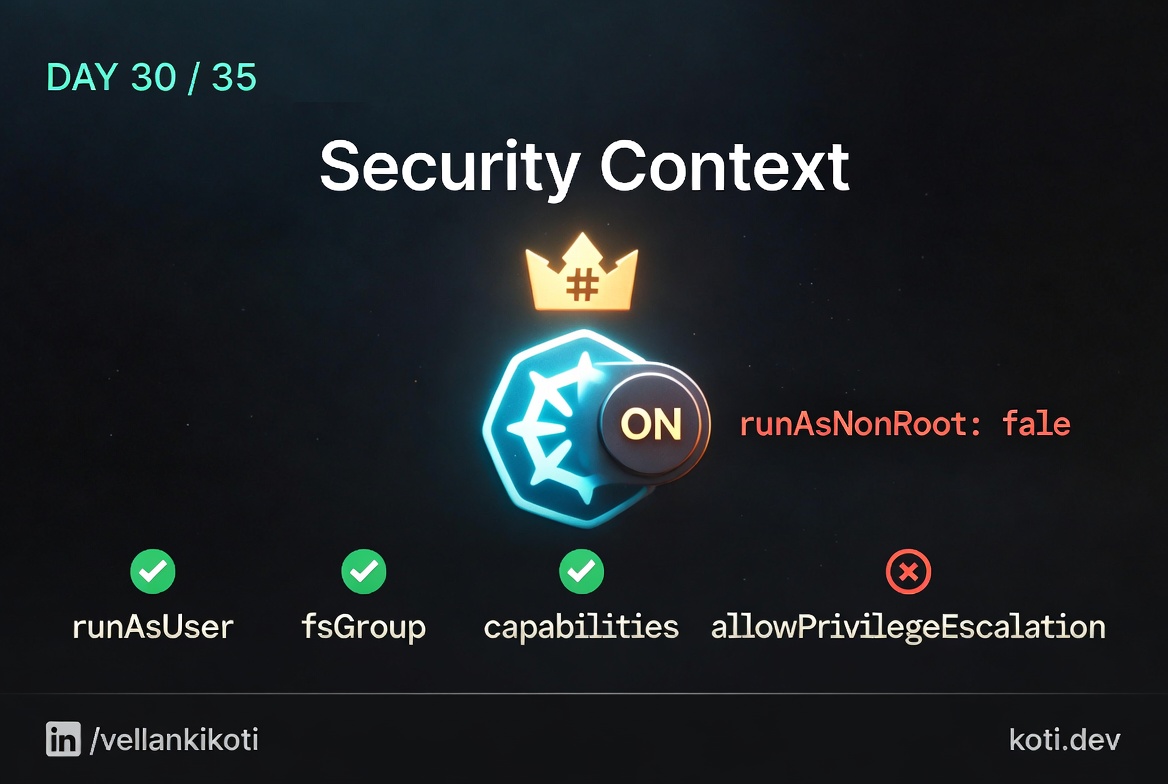
11PM on a Tuesday, SOC2 auditor sends a spreadsheet. Row 47, highlighted red: "Containers running as UID 0. Non-compliant. Blocker for certification." I open the deployment yaml we had been running in prod for two years and there is no securityContext block at all. Not a single one, not in the pod, not in the container. The base image had USER root in the Dockerfile and Kubernetes had just trusted it. 37 deployments to patch by morning. The worst part was that I had written most of them myself, back when I thought "it works" was the same as "it is safe."
The scenario
The policy said: no root. The image disagreed.
The pod's securityContext sets runAsNonRoot: true. The container image was built with USER root. The kubelet inspects the image config at runtime and refuses to start the container before any process is exec'd. The pod never runs.
The pod declares runAsNonRoot but no runAsUser
Setting runAsNonRoot: true without runAsUser tells the kubelet: resolve the uid from the image, then reject if it is 0. The policy intent is correct — the execution is incomplete.
The kubelet catches the contradiction before exec
The kubelet asks containerd to inspect the image config, reads USER root, resolves uid 0, and compares it against runAsNonRoot: true. The check happens in security_context.go — before any process is exec'd. The pod never starts.
Fix it in the image or in the pod spec
Two valid fixes: add USER 1000 (any non-zero uid) to the Dockerfile, or set securityContext.runAsUser: 1000 in the pod spec to override the image default. The Dockerfile fix is preferable — it ensures the image is safe regardless of the deployment context.
The scenarios repo has a tiny version of this exact pain.
git clone https://github.com/vellankikoti/troubleshoot-kubernetes-like-a-pro.git
cd troubleshoot-kubernetes-like-a-pro/scenarios/security-context-issues
lsdescription.md, issue.yaml, fix.yaml. The issue manifest sets runAsUser: 0 and runAsGroup: 0 explicitly, which is the honest version of what most teams accidentally do by omission.
Reproduce the issue
kubectl apply -f issue.yaml
kubectl get pod security-context-issue-podNAME READY STATUS RESTARTS AGE
security-context-issue-pod 1/1 Running 0 8sRunning. Happy. The pod does not care that it is root. Kubernetes does not care that it is root. The auditor cares very, very much.
Debug the hard way
First question, who is this thing actually running as?
kubectl exec security-context-issue-pod -- iduid=0(root) gid=0(root) groups=0(root)Root. Inside the container, inside the pod, inside the cluster. Now let me see what the spec actually declares.
kubectl get pod security-context-issue-pod -o jsonpath='{.spec.securityContext}'{"runAsUser":0,"runAsGroup":0}No runAsNonRoot. No allowPrivilegeEscalation: false. No dropped capabilities. If this container has a bug that lets an attacker execute a shell, they land on a UID 0 shell inside a pod that can talk to the node's kernel with full capabilities, and from there to everything.
kubectl exec security-context-issue-pod -- cat /proc/self/status | grep CapEffCapEff: 00000000a80425fbThat capability mask is the default containerd set, which is still enough to do things like CAP_CHOWN, CAP_SETUID, CAP_NET_RAW. On a root process. In prod.
Why this happens
Container images ship with a USER directive but very few base images set it to a non-root user by default. busybox, alpine, ubuntu, debian, all of them run as UID 0 unless you override it. Kubernetes does not second-guess the image. If you do not set runAsNonRoot: true or runAsUser: <non-zero>, the pod runs as whatever the image says, which is usually root.
The second reason is that securityContext is optional and has sensible-sounding defaults that are not actually secure. allowPrivilegeEscalation defaults to true. readOnlyRootFilesystem defaults to false. capabilities.drop defaults to empty. Every default is the insecure one, because Kubernetes was built for workloads that expected to behave like regular Linux processes. Production hardening is always opt-in.
The third reason is the one nobody wants to admit. Most teams do not set a security context because when they tried, the app broke. Something wrote to a path that was not writable, something tried to bind port 80, something assumed UID 0. So they took it out and promised themselves they would come back. Then two years passed.
The fix
kubectl apply -f fix.yaml
kubectl exec security-context-fixed-pod -- iduid=1000 gid=1000 groups=1000The key diff in the pod spec.
  securityContext:
-   runAsUser: 0
-   runAsGroup: 0
+   runAsUser: 1000
+ runAsGroup: 1000For real prod hardening I always push teams further than the scenario shows. The minimum baseline I sign off on looks like this.
securityContext:
  runAsNonRoot: true
  runAsUser: 1000
  runAsGroup: 1000
  fsGroup: 1000
  allowPrivilegeEscalation: false
  readOnlyRootFilesystem: true
  capabilities:
    drop: ["ALL"]
  seccompProfile:
type: RuntimeDefaultrunAsNonRoot: true is the one that actually protects you. If the image is accidentally USER root, Kubernetes refuses to start the pod instead of silently running as root. That is the line I want on every workload in every cluster.
The lesson
- If you do not set
runAsNonRoot: true, assume every pod is running as root. The image will not save you. - The secure defaults are not defaults.
allowPrivilegeEscalation: false,capabilities.drop: ["ALL"],readOnlyRootFilesystem: true,seccompProfile: RuntimeDefault. Write them every time. - Hardening that breaks the app is not hardening that shipped. Fix the app. Do not remove the context.
Day 30 of 35 — tomorrow we look at a single line, hostPID: true, that turns a normal pod into a node-wide surveillance deck.