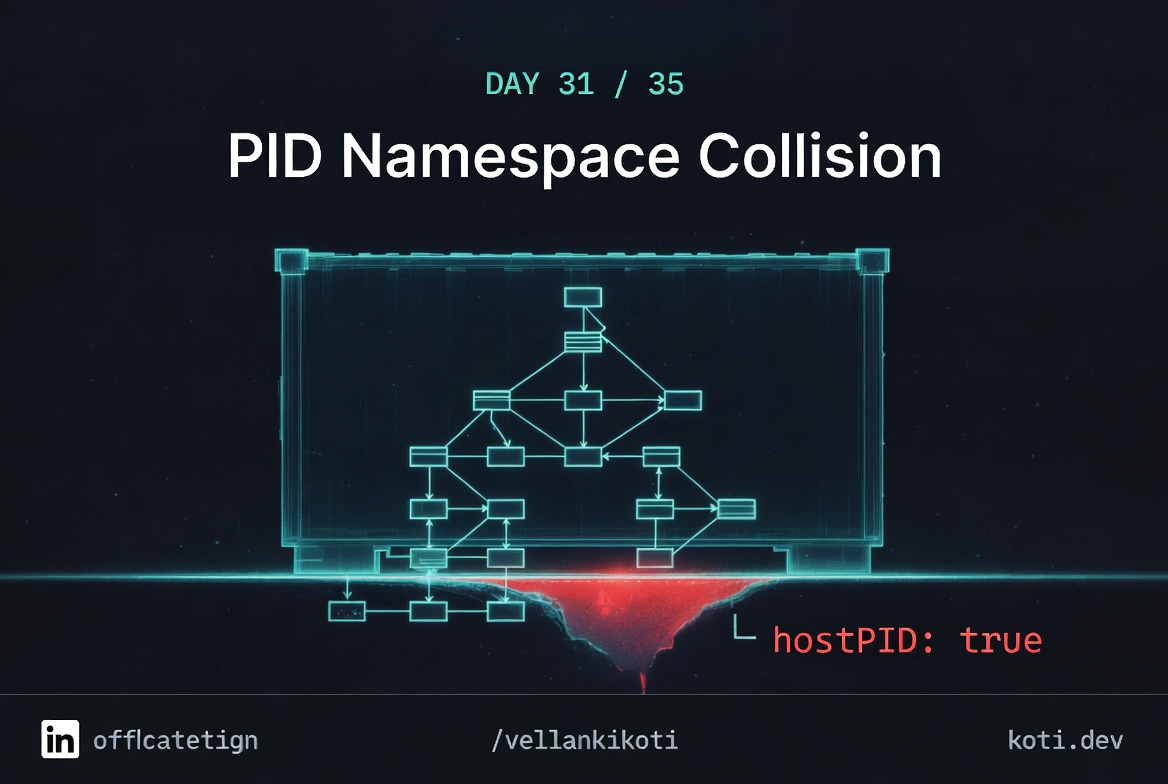
A pentest report lands in my inbox at 9AM on a Thursday with one screenshot. It is the output of ps -ef from inside a debug pod, and it lists every process on the node. kubelet, containerd, sshd, the other tenant's workloads, everything. I check the manifest and right near the top: hostPID: true. Six months earlier somebody had copy-pasted it from a monitoring DaemonSet because the README had it. Nobody noticed in review. Nobody noticed in audit. One line had silently turned a regular application pod into a full-spectrum view of the node, and it had been that way in prod since October.
The scenario
Two containers. One PID namespace. One of them expected to be PID 1.
shareProcessNamespace: true merges both containers into a single PID namespace. Container A's entrypoint becomes PID 1. Container B's process expected to be PID 1 and relies on that for signal handling. The collision breaks Container B silently.
Container A legitimately holds PID 1
nginx starts first and acquires PID 1 in the shared namespace. PID 1 has special kernel signal behaviour — it ignores SIGTERM unless the application explicitly handles it (man signal(7)). This is expected for Container A.
Container B collides — it expected to be PID 1
The sidecar tool uses kill 0 to signal its own process group, assuming it is PID 1. Instead it receives PID 17. The kill 0 hits nginx's process group and either has no effect or triggers unexpected shutdown.
The shared namespace is a deliberate tradeoff
shareProcessNamespace: true gives containers visibility into each other's processes — useful for debugging sidecars. But any tool that assumes it owns PID 1, or uses PID-relative signalling, will break. Remove the flag unless you need cross-container ps visibility.
This one is short, nasty, and in the repo.
git clone https://github.com/vellankikoti/troubleshoot-kubernetes-like-a-pro.git
cd troubleshoot-kubernetes-like-a-pro/scenarios/pid-namespace-collision
lsdescription.md, issue.yaml, fix.yaml. The issue yaml adds exactly one field, hostPID: true, to an otherwise normal busybox pod. Nothing else is privileged. That is what makes it so easy to miss.
Reproduce the issue
kubectl apply -f issue.yaml
kubectl get pod pid-namespace-collision-podNAME READY STATUS RESTARTS AGE
pid-namespace-collision-pod 1/1 Running 0 10sNormal pod. Running. Ready. kubectl describe shows no security warnings. kubectl get pod -o yaml is the only place the field shows up, and you have to be looking for it.
Debug the hard way
I want to see exactly what an attacker would see, so I exec in.
kubectl exec -it pid-namespace-collision-pod -- sh
/ $ ps -ef | head -10PID USER TIME COMMAND
1 root 0:02 /sbin/init
342 root 0:01 /usr/lib/systemd/systemd-journald
891 root 0:12 /usr/bin/kubelet --config=/var/lib/kubelet/config.yaml
1023 root 0:51 /usr/bin/containerd
1456 root 0:00 /pause
1789 root 0:03 /usr/bin/sshd -D
2104 1000 0:00 /app/payments-api
2311 root 0:02 /coredns -conf /etc/coredns/CorefileThat is not "my container's processes." That is the node's entire process table. Kubelet is there. Containerd is there. Another tenant's payments-api is there, running as UID 1000, and I can see its command line. If that command line has a secret in an env var rendered via /proc/<pid>/environ, I can read it.
/ $ cat /proc/2104/environ 2>/dev/null | tr '\0' '\n' | headDB_PASSWORD=s3cr3t-prod-pass
STRIPE_SECRET=sk_live_...There it is. A pod that has no privileged: true, no extra capabilities, no hostNetwork, just hostPID: true, has exfiltrated another workload's secrets by reading /proc. And the kernel is cooperating because from its point of view, this is all one namespace.
kubectl get pod pid-namespace-collision-pod -o jsonpath='{.spec.hostPID}'trueWhy this happens
The Linux kernel has a thing called the PID namespace. By default, every container gets its own, and inside that namespace PID 1 is your container's entrypoint and you cannot see processes outside it. It is the foundation of container isolation. When you set hostPID: true, Kubernetes tells the runtime to put the pod in the host's PID namespace instead of a fresh one. The container now shares the namespace with init, kubelet, and every other process on the node.
The field exists for legitimate reasons. Monitoring agents like node-exporter need to see host processes to report on them. Some debugging DaemonSets need it. The problem is that the field is a single boolean that gets copy-pasted around, and it does not require any privileged capability to use. Admission controllers that look for privileged: true miss it. Linters that only check runAsUser miss it. OPA policies that only block hostNetwork miss it. The only thing that catches it is a rule that specifically blocks hostPID on non-system namespaces.
And once you have PID namespace access, you have everything. /proc/<pid>/environ leaks env vars. /proc/<pid>/cmdline leaks flags. /proc/<pid>/root can even let you walk into another container's filesystem if capabilities line up. It is a single line of yaml and it collapses the entire isolation model.
The fix
kubectl delete pod pid-namespace-collision-pod
kubectl apply -f fix.yamlThe diff is just one line removed.
  spec:
-   hostPID: true
    containers:
- name: busyboxVerify the PID namespace is isolated again.
kubectl exec pid-namespace-collision-fixed-pod -- ps -efPID USER TIME COMMAND
1 1000 0:00 sh -c echo 'PID namespace isolated' && sleep 3600
7 1000 0:00 sleep 3600Two processes. That is what a container's process table should look like. The fix is easy. Preventing the regression is the hard part. I enforce a Pod Security Admission baseline profile on every namespace that is not explicitly system, and the baseline profile bans hostPID, hostNetwork, and hostIPC outright.
The lesson
hostPID: trueis not a tuning knob. It is a security boundary removal. Treat it likeprivileged: true.- Pod Security Admission baseline profile blocks
hostPID,hostNetwork, andhostIPCfor free. Turn it on in every namespace that is not kube-system. - Audit
/procaccess the way you would audit secret access. If a pod can read/proc/<other-pid>/environ, it has your secrets, full stop.
Day 31 of 35 — tomorrow we drop below Kubernetes into the kernel itself, where SELinux and AppArmor are quietly denying syscalls your pod thinks it made.