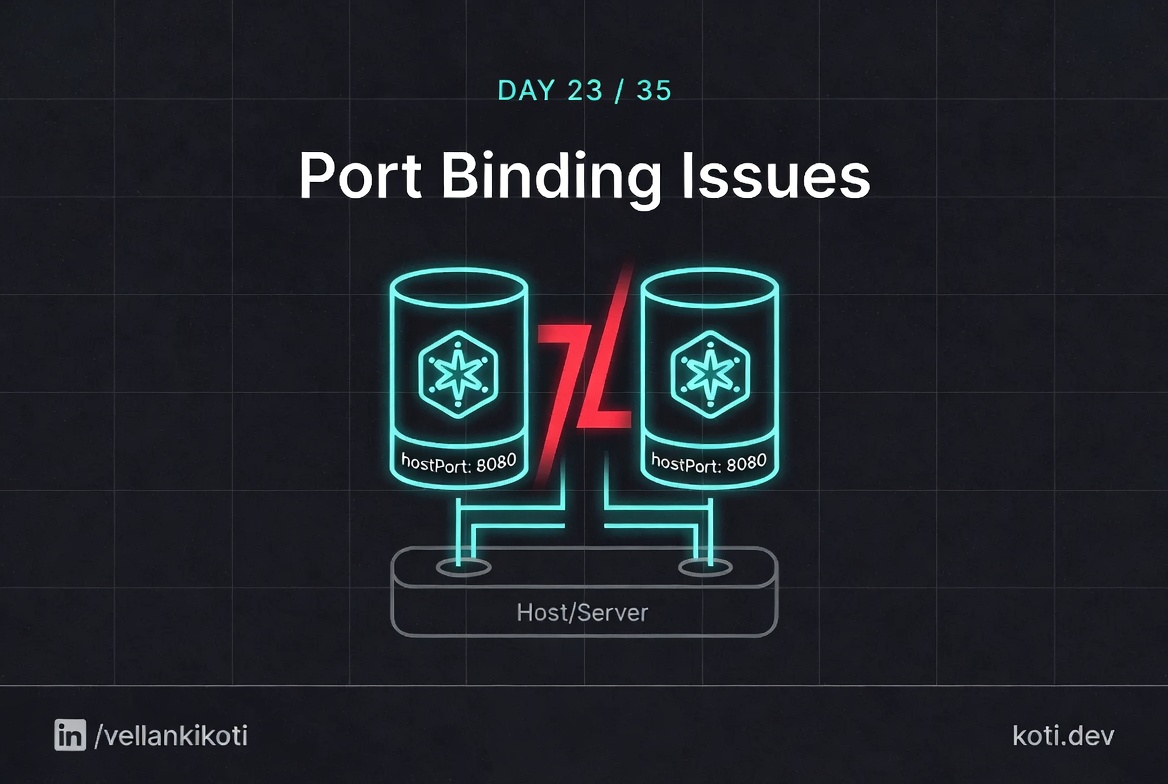
2AM, production rollout, replicas bumped from 1 to 3. One pod comes up, the other two sit in Pending with zero events that explain anything useful. kubectl describe tells me the scheduler cannot place them, and that's it. The first pod holds hostPort: 8080 on worker-1. The scheduler wants to put a second replica on the same node because that is where the resources are, and the kubelet refuses because port 8080 is already bound on the host network namespace. Nothing in the deployment spec said "single node only". The staging cluster was single-node so this never fired there. Phone buzzing, release channel on fire, and I am staring at a field I almost never use.
The scenario
The pod uses hostNetwork. Port 8080 is already taken.
When hostNetwork is true, the pod shares the node's network namespace. There is no isolation, no port mapping. Any process on the host that already holds port 8080 — another hostNetwork pod, a DaemonSet, a system service — wins. The new pod's bind(2) syscall gets EADDRINUSE and the process exits. The kubelet schedules a restart and you get CrashLoopBackOff.
Two processes share one host network namespace
With hostNetwork: true the pod is in the same network namespace as the node. There is no port mapping or isolation. prometheus has already called bind(0.0.0.0:8080) successfully. The new pod is a second caller on the same namespace.
The kernel rejects the second bind
The kernel socket layer checks the address table. Port 8080 on 0.0.0.0 is already held. bind(2) returns -1 with errno set to EADDRINUSE (98). This happens at the kernel level before any Kubernetes scheduling is involved.
The process exits, CrashLoopBackOff begins
Most server frameworks treat a failed bind as fatal and call exit(1). The container process ends, the kubelet reschedules a restart with exponential back-off. Diagnose with kubectl logs --previous to see the EADDRINUSE error from the last run.
Reproduce it in your own cluster so the symptoms on your screen match what I describe.
git clone https://github.com/vellankikoti/troubleshoot-kubernetes-like-a-pro.git
cd troubleshoot-kubernetes-like-a-pro/scenarios/port-binding-issues
lsYou will see issue.yaml, fix.yaml, description.md, and port_binding.sh. We are only going to use the two YAML files and a little bit of imagination, because the cleanest way to force the conflict is to run two pods wanting the same containerPort on the same host.
Reproduce the issue
kubectl apply -f issue.yamlpod/port-binding-issue-pod createdIn the real incident, the failure shows up when a second pod wants the same port on the same node. Simulate it:
kubectl run port-binding-collide --image=busybox \
  --overrides='{"spec":{"containers":[{"name":"busybox","image":"busybox","ports":[{"containerPort":8080,"hostPort":8080}],"command":["sh","-c","sleep 3600"]}]}}' \
-- sleep 3600kubectl get podsNAME READY STATUS RESTARTS AGE
port-binding-issue-pod 1/1 Running 0 30s
port-binding-collide 0/1 Pending 0 12skubectl describe pod port-binding-collide will show a FailedScheduling event saying the node didn't have a free host port. One pod running, one pod in purgatory, no useful output unless you know which field to look at.
Debug the hard way
kubectl describe pod port-binding-collide | tail -20Events:
Type Reason Age From Message
---- ------ ---- ---- -------
Warning FailedScheduling 30s default-scheduler 0/3 nodes are available:
1 node(s) didn't have free ports for the requested pod ports,
2 node(s) didn't match Pod's node affinity/selector.The phrase didn't have free ports for the requested pod ports is the smoking gun, and the only line that matters. Now find out who is holding the port:
kubectl get pods -A -o json | \
  jq -r '.items[] | select(.spec.containers[].ports[]?.hostPort==8080) |
"\(.metadata.namespace)/\(.metadata.name) -> \(.spec.nodeName)"'default/port-binding-issue-pod -> worker-1And the node-level check, so you really believe it:
kubectl get pod port-binding-issue-pod -o jsonpath='{.spec.containers[0].ports}'[{"containerPort":8080,"hostPort":8080,"protocol":"TCP"}]Why this happens
containerPort is a hint. It does nothing. You can set it to 9999 and your container will still listen on whatever port it wants inside its own network namespace. hostPort is different. hostPort actually binds the host node's network namespace and reserves that port on the node itself. Two pods on the same node cannot share a hostPort, ever, because the Linux kernel does not allow two processes to bind the same port on the same interface.
This makes hostPort a scheduler constraint. The scheduler treats it like a resource. If no node has that port free and also has CPU, memory, and a matching selector, the pod stays Pending until a node frees up, which for a replica set under load means forever.
The deeper reason people reach for hostPort is usually wrong in the first place. Most of the time you want a Service, a NodePort, or host networking. hostPort is the right answer for a very narrow set of cases like a per-node agent that needs to accept traffic on a fixed port, and in that case you should be using a DaemonSet with exactly one pod per node, not a Deployment with replicas.
The fix
Fast fix, remove the hostPort entirely and let the Service handle exposure. The scenario's fix.yaml changes the containerPort to an unused port, which works for the demo but sidesteps the real lesson. In a production cluster you usually delete the hostPort line:
kubectl delete -f issue.yaml
kubectl apply -f fix.yaml
kubectl get podsNAME READY STATUS RESTARTS AGE
port-binding-issue-fixed-pod 1/1 Running 0 8sThe permanent fix in real clusters is: delete the hostPort, put a Service in front, and if you genuinely need a per-node port, use a DaemonSet.
The lesson
hostPortis a scheduler constraint, not a configuration detail. Treat it as rare and document every use.- If a pod is
Pendingwithdidn't have free ports, you are looking forhostPort, not for resource pressure. - 95% of the time, what you actually wanted was a Service or a DaemonSet. Reach for
hostPortonly when you genuinely need the host network.
Day 23 of 35, tomorrow a LoadBalancer Service sits on <pending> for twenty minutes and your cloud provider is perfectly healthy.