2:30 AM and I am watching a CI cluster slowly drown. Every new pod comes up in ImagePullBackOff. The images exist. I can pull them from my laptop in two seconds. Our registry is up. Monitoring is green everywhere except the pod list, which looks like someone unplugged the internet. I check the Failed events and see toomanyrequests: You have reached your pull rate limit. Docker Hub, anonymous pulls, 100 per 6 hours, and our CI pipeline was burning them faster than we could count. The worst part is the backoff. By the time I figured out the cause, new pods were waiting five full minutes between retries and I was powerless to rush them.
The scenario
The credentials are fine. The tag does not exist.
kubelet asks containerd to pull the image. The registry returns HTTP 404 — the tag was never pushed. kubelet retries with exponential backoff; after several failures the pod transitions from ErrImagePull to ImagePullBackOff.
The pod references a tag that was never pushed
The image name is correct and the registry is reachable. Only the tag does-not-exist is wrong — it was never pushed. Authentication succeeds; the manifest lookup fails.
The registry returns 404 on every attempt
The OCI distribution spec returns HTTP 404 with body manifest unknown when the requested tag or digest does not exist. This is not a transient error — retrying will not help until the tag is pushed.
ImagePullBackOff is the retry governor, not a new error
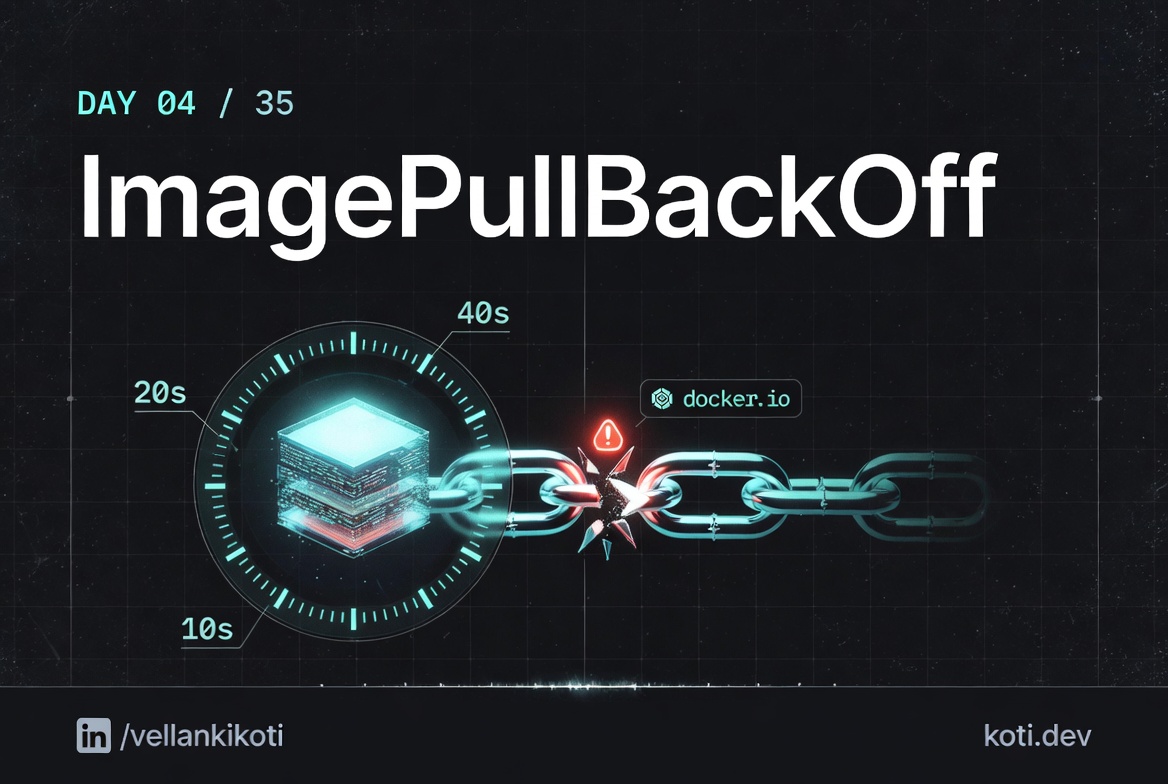
After each ErrImagePull, kubelet doubles the wait: 10s → 20s → 40s → 80s… up to a 5-minute ceiling. The pod status flips to ImagePullBackOff while it is waiting between retries.
From the troubleshoot-kubernetes-like-a-pro repo. You are going to reproduce ImagePullBackOff, watch the timer grow, and learn to separate the cause from the cooldown.
git clone https://github.com/vellankikoti/troubleshoot-kubernetes-like-a-pro.git
cd troubleshoot-kubernetes-like-a-pro/scenarios/image-pull-backoff
lsdescription.md, issue.yaml, fix.yaml. Assumes you have a cluster running from Day 0.
Reproduce the issue
kubectl apply -f issue.yaml
kubectl get podsWait a couple of minutes and run it again. You will see the state flip between ErrImagePull and ImagePullBackOff depending on whether the kubelet is mid-attempt or mid-cooldown.
NAME                     READY   STATUS             RESTARTS   AGE
image-pull-backoff-pod   0/1     ImagePullBackOff   0          2m15s
Debug the hard way
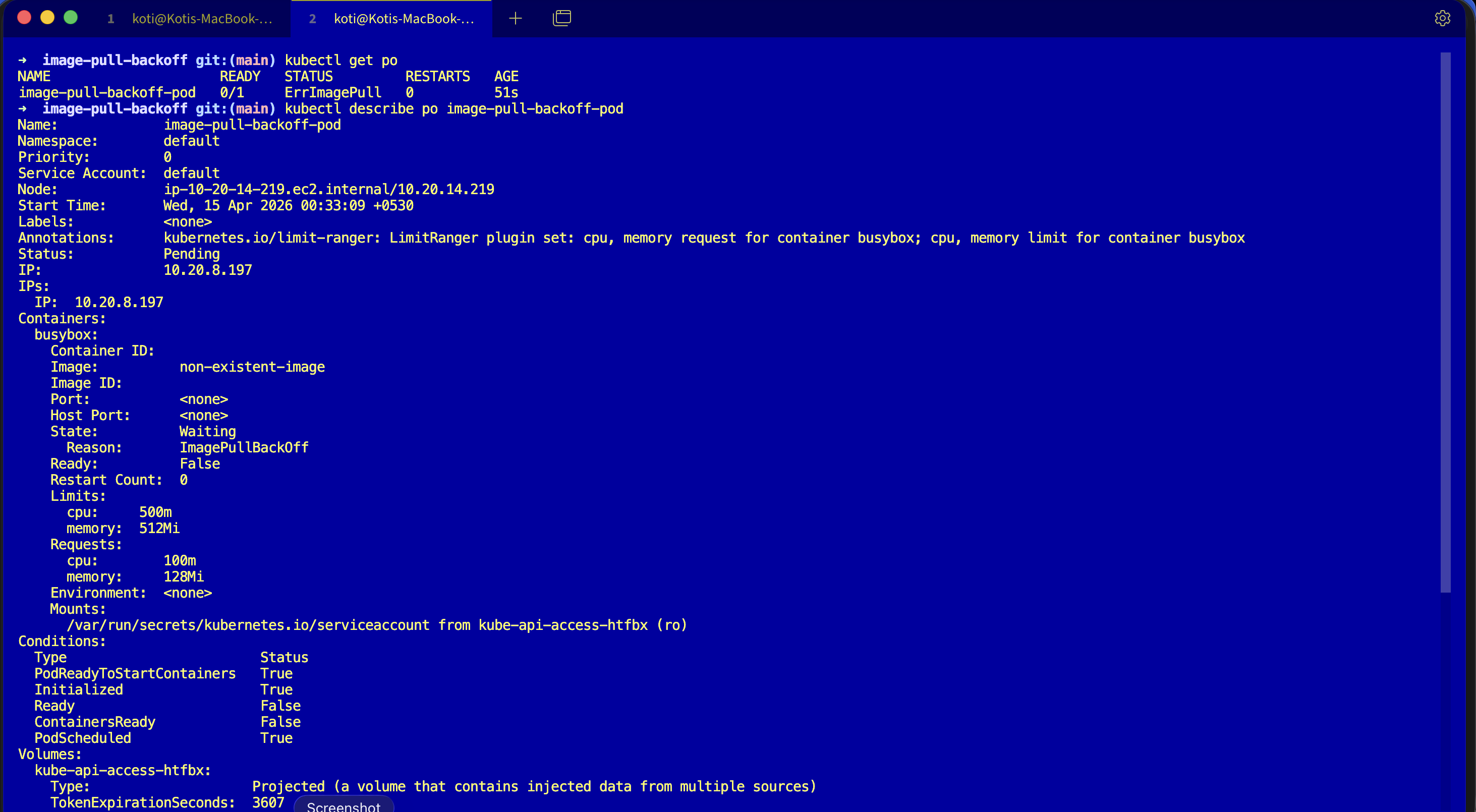
Describe it and look at the events block.
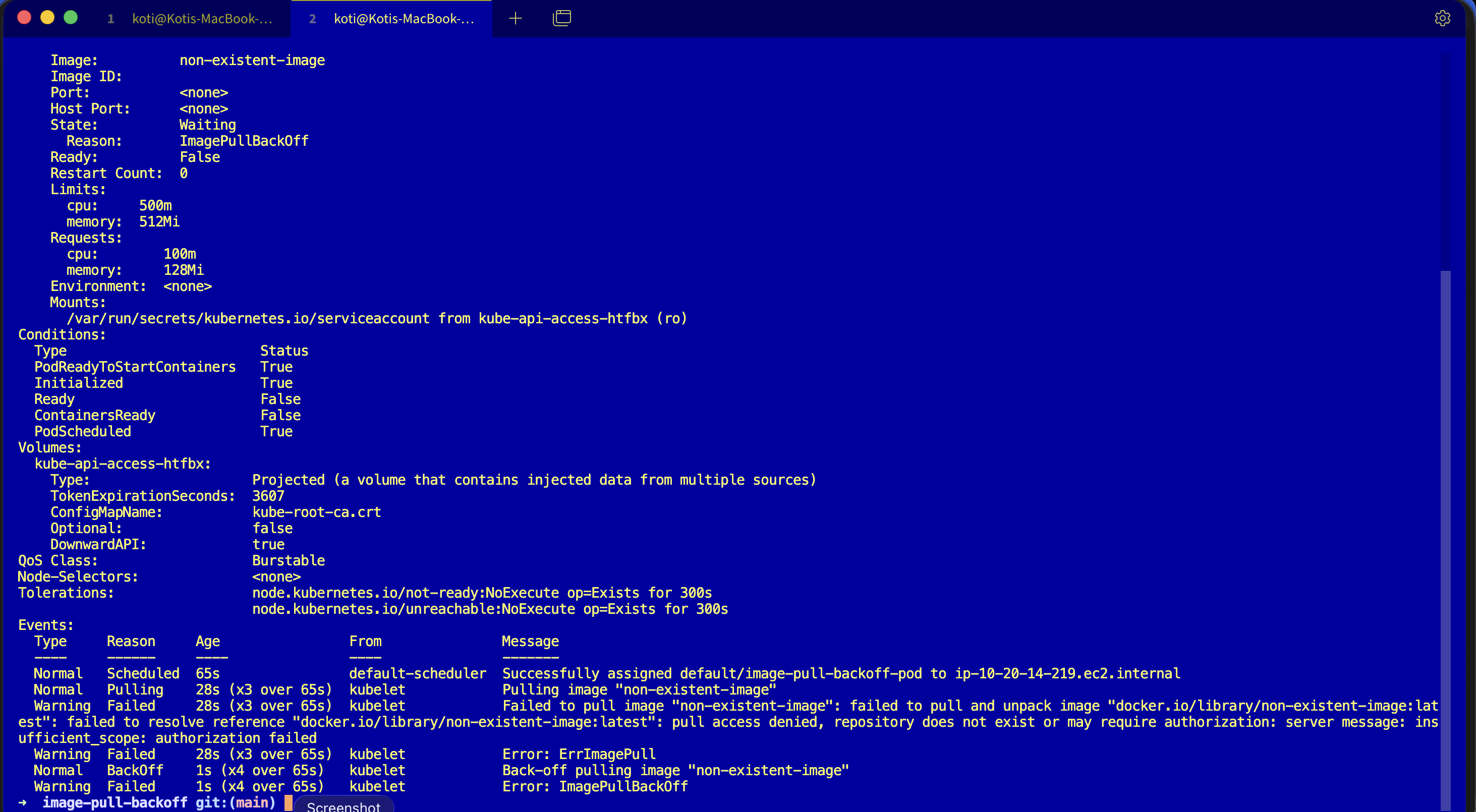
kubectl describe pod image-pull-backoff-podEvents:
Type Reason Age From Message
---- ------ ---- ---- -------
Normal Pulling 45s (x4 over 2m15s) kubelet Pulling image "non-existent-image"
Warning Failed 44s (x4 over 2m14s) kubelet Failed to pull image "non-existent-image":
rpc error: code = NotFound desc =
failed to pull and unpack image
"docker.io/library/non-existent-image:latest":
failed to resolve reference
"docker.io/library/non-existent-image:latest":
docker.io/library/non-existent-image:latest:
not found
Warning Failed 44s (x4 over 2m14s) kubelet Error: ErrImagePull
Normal BackOff 30s (x5 over 2m) kubelet Back-off pulling image "non-existent-image"
Warning Failed 30s (x5 over 2m) kubelet Error: ImagePullBackOffRead the sequence. Pulling fires. Failed fires with the real reason. ErrImagePull shows up as the status. Then BackOff starts, and ImagePullBackOff becomes the new status. Same cause, different status because the kubelet is now in a cooldown window.
The filter that saves you time:
kubectl get events --field-selector involvedObject.name=image-pull-backoff-pod,reason=FailedWhy this happens
The kubelet has an exponential backoff for image pulls, just like it does for container restarts. First failure, retry in 10 seconds. Second, 20. Then 40, 80, 160, capped at 5 minutes. Each attempt goes through the same pull chain as Day 3: resolve host, TCP, handshake, auth, manifest, layers. If any step fails, you get an ErrImagePull event, and if it keeps failing, the cooldown grows and the pod's status reported to kubectl get pods becomes ImagePullBackOff.
So ImagePullBackOff is not a distinct error. It is ErrImagePull plus a timer. The real cause is always in the Failed event message, and the four common shapes are worth memorising:
- Typo or missing tag, fix the
image:field and pin versions. - Private registry auth, add a
dockerconfigjsonsecret and reference it viaimagePullSecrets:. - Rate limits, especially Docker Hub anonymous pulls, authenticate or mirror to ECR, GCR, ACR, or your own registry.
- Blocked egress, check NAT gateway, security groups, and node firewall rules.
The fix
kubectl apply -f fix.yaml
kubectl get podsThe broken pod referenced an image that does not exist:
image: non-existent-imageThe fix points at a real image and gives the container a long-running command so you can watch it stay alive:
image: busybox
command: ["sh", "-c", "sleep 3600"]NAME READY STATUS RESTARTS AGE
image-pull-backoff-fixed-pod 1/1 Running 0 3s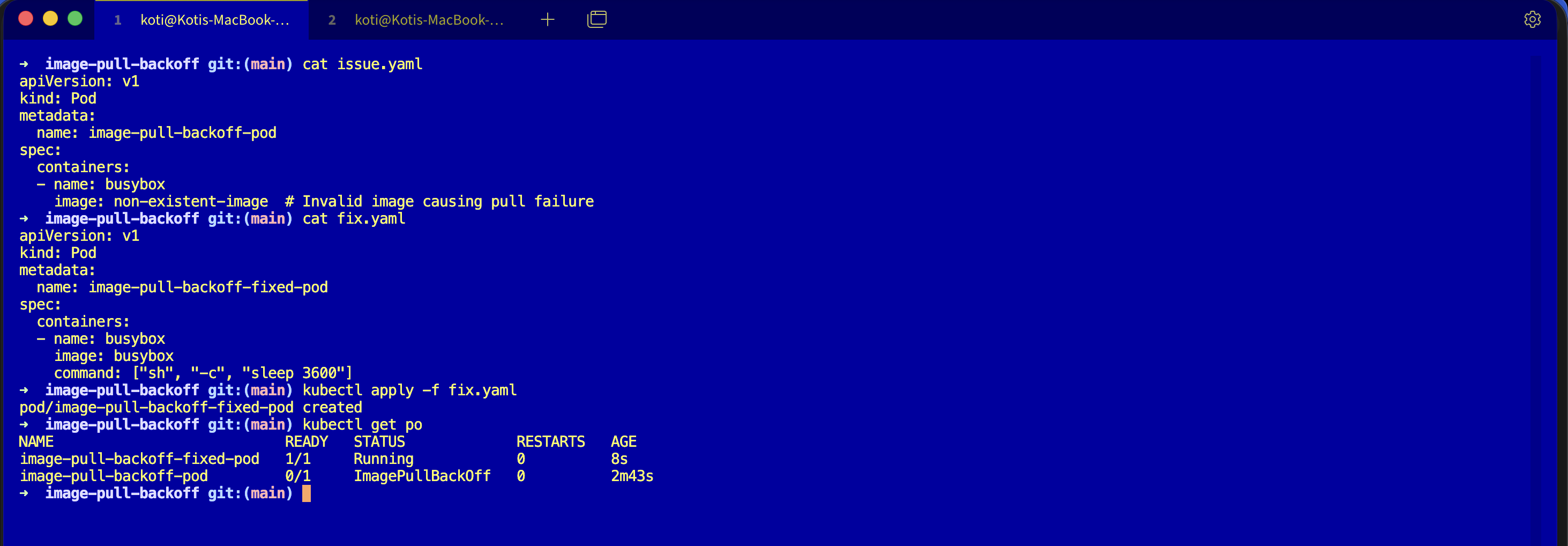
The easiest way — with Kubilitics
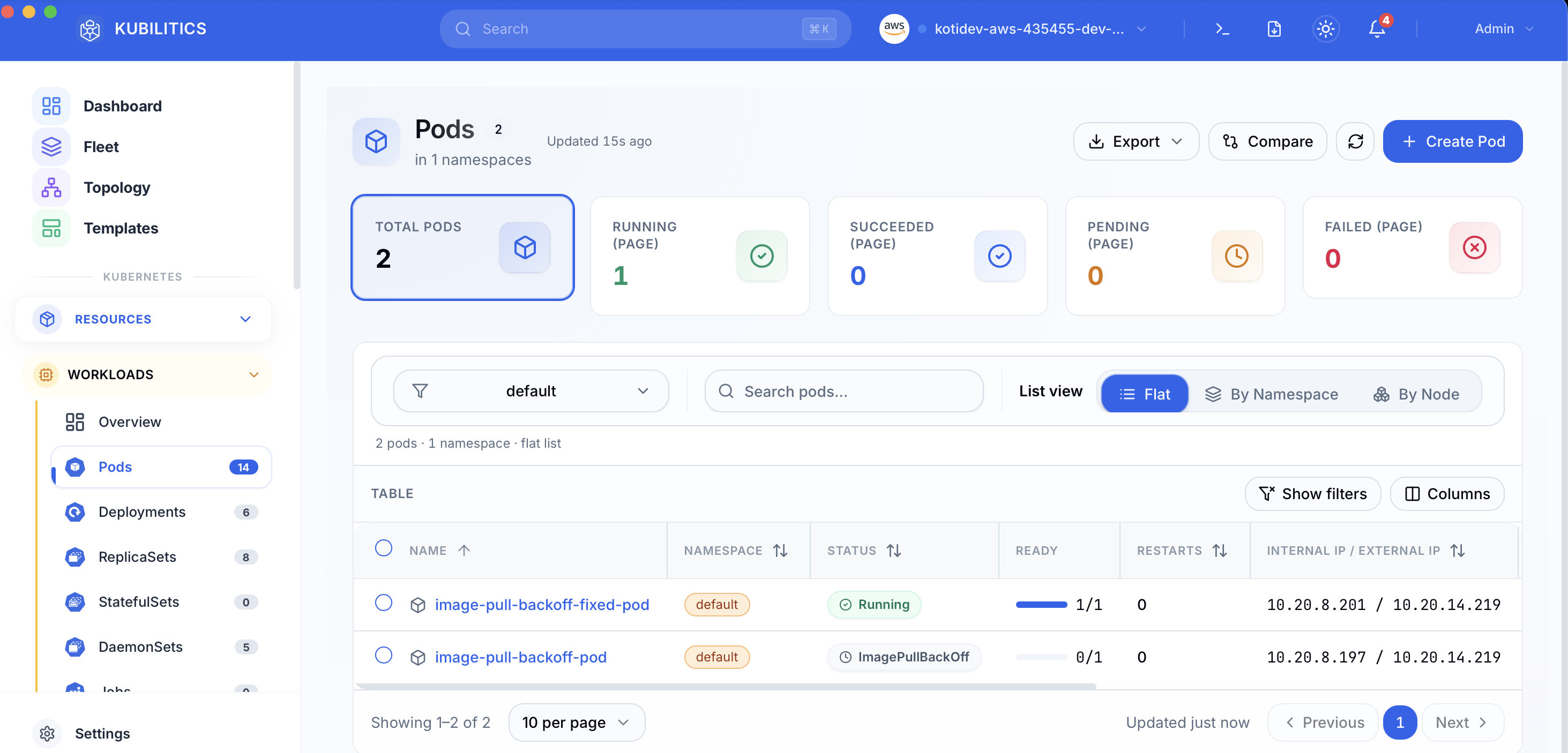
The Pods view pulls the same answer out of the cluster one click at a time. After applying both manifests, both pods are visible in the table with their own status badges — no describe, no scroll, no event filter.
The lesson
ImagePullBackOffisErrImagePullwith a cooldown. Read the underlyingFailedevent, not the status column.- Pin tags, mirror registries, and authenticate even to public registries. If your CI pulls hundreds of images a day, you will hit rate limits at exactly the worst possible moment.
reason=Failedis the one field selector that cuts through backoff noise. Put it in your aliases.
Day 4 of 35 — tomorrow the image pulls, the container runs, and the Service still refuses to send it a single request.