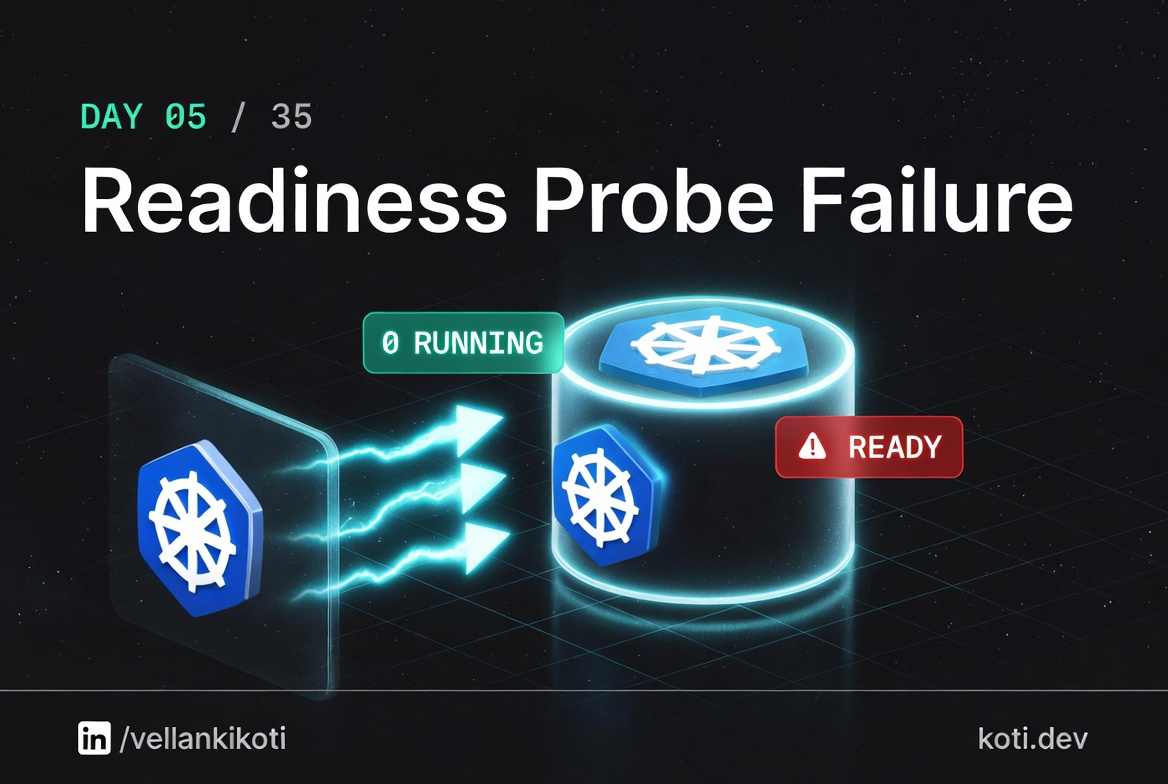
2:48 AM. Brand new microservice rollout, staging was green, production deploy finished, every pod shows Running with zero restarts. And the frontend is returning 503 no healthy upstream on every request. I stare at kubectl get pods, see Running, and waste twenty minutes looking at the wrong column. When I finally notice READY says 0/1, not 1/1, the whole story clicks. The pod is alive. The Service has silently excluded it from the endpoints list. Somebody renamed /health to /healthz in a tidy-up PR and the readiness probe is still pointed at the old path. The container is fine. The Service is hiding it.
The scenario
The pod is Running. It is not Ready.
Every pod shows Running with zero restarts. The Service is empty. A failing readiness probe moves the pod to notReadyAddresses — it is alive, it is running, and the Service has quietly removed it from rotation. Traffic never arrives.
pod-3 is Running but not Ready
The readiness probe is failing — HTTP GET returns non-200 or times out. kubelet sets Ready=False on the PodCondition. The pod process keeps running. No restart, no crash. Just invisible to the Service.
The Endpoints object silently excludes it
The Endpoints controller watches PodConditions. A pod with Ready=False moves to notReadyAddresses. Run kubectl get endpoints api-svc -o yaml to see exactly which IPs are excluded.
Traffic never reaches the failing pod
kube-proxy only programs rules for readyAddresses. From the load balancer's perspective, the pod does not exist. Users see 503 no healthy upstream if enough pods fail. Check kubectl describe pod pod-3 and look for the probe failure event.
From my troubleshoot-kubernetes-like-a-pro repo. You are going to reproduce the exact "pod looks fine but traffic is dead" situation and learn which column actually matters.
git clone https://github.com/vellankikoti/troubleshoot-kubernetes-like-a-pro.git
cd troubleshoot-kubernetes-like-a-pro/scenarios/readiness-probe-failure
lsdescription.md, issue.yaml, fix.yaml. Assumes you have a cluster running from Day 0.
Reproduce the issue
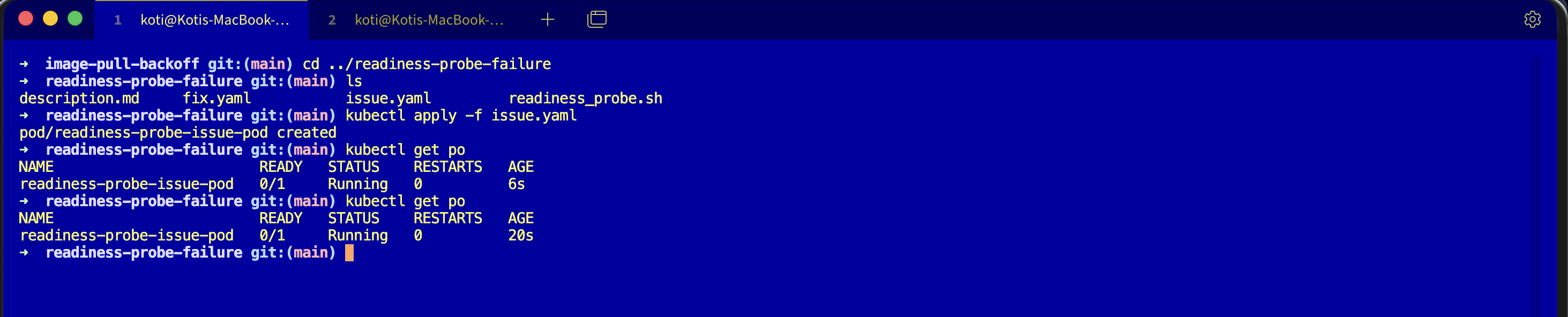
kubectl apply -f issue.yaml
kubectl get podsWait fifteen seconds so the probe has time to fail the threshold.
NAME                        READY   STATUS    RESTARTS   AGE
readiness-probe-issue-pod 0/1 Running 0 45sRunning. Zero restarts. Everything in the STATUS column looks healthy. The READY column is the one telling you the truth: 0/1. The container is alive, the Service sees it as unhealthy, and no traffic is reaching it.
Debug the hard way
Logs.
kubectl logs readiness-probe-issue-pod/docker-entrypoint.sh: /docker-entrypoint.d/ is not empty, will attempt to
perform configuration
2026/03/24 02:48:01 [notice] 1#1: start worker processes
2026/03/24 02:48:01 [notice] 1#1: start worker process 29Nginx is happy. No errors. So describe it.
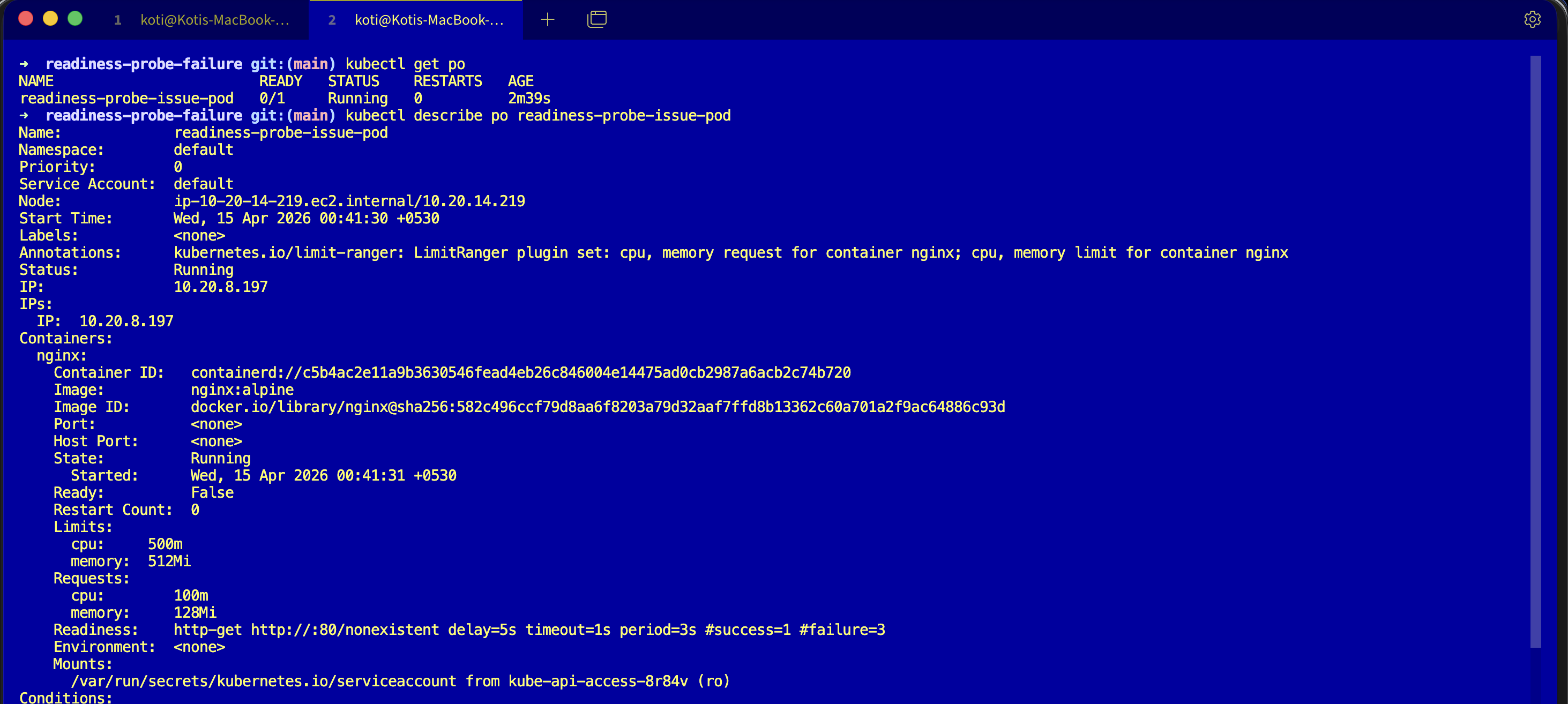
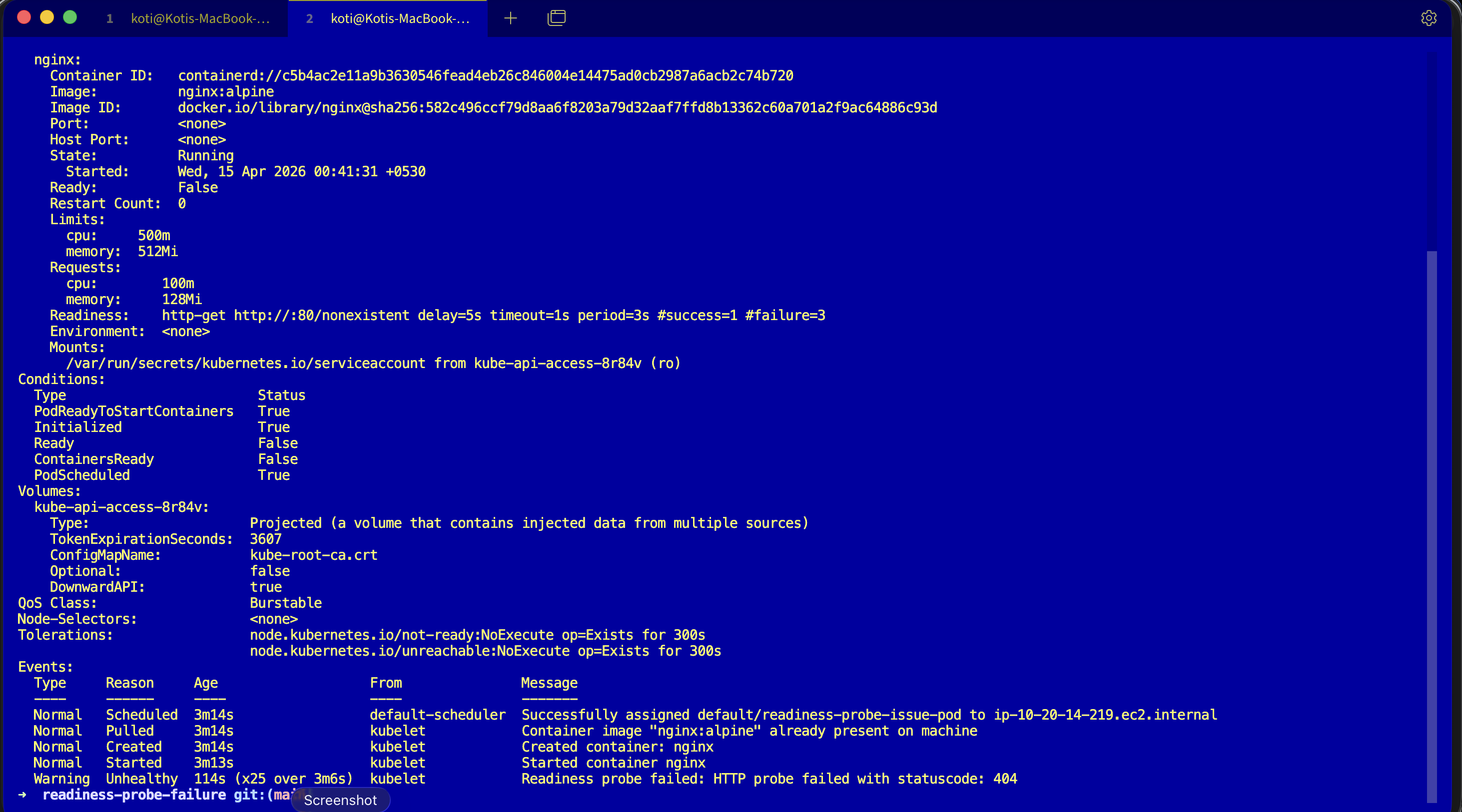
kubectl describe pod readiness-probe-issue-podConditions:
Type Status
Initialized True
Ready False
ContainersReady False
PodScheduled True
Events:
Type Reason Age From Message
---- ------ ---- ---- -------
Warning Unhealthy 3s (x14 over 40s) kubelet Readiness probe failed:
HTTP probe failed with statuscode: 404Ready: False. Fourteen probe failures. HTTP 404. Nginx is serving, but it is serving 404 for /nonexistent, and the kubelet treats any non-2xx/3xx as a probe failure. After three consecutive failures the pod is marked not ready, and the endpoints controller quietly yanks it out of every Service that matched its labels.
Why this happens
A readiness probe is a contract between the pod and the Service. When the probe passes, the endpoints controller keeps the pod's IP in the Service's endpoints list. When the probe fails, the pod's IP is silently removed. The container keeps running. The Service stops routing to it. There is no restart, no crash, no error in the pod phase, just a quiet exclusion.
This is why Running is not the same as Ready. Running means the container process is alive. Ready means the kubelet has decided the container can serve traffic. Two different questions, two different columns, and the STATUS column is the one that lies by omission.
The fix
kubectl apply -f fix.yaml
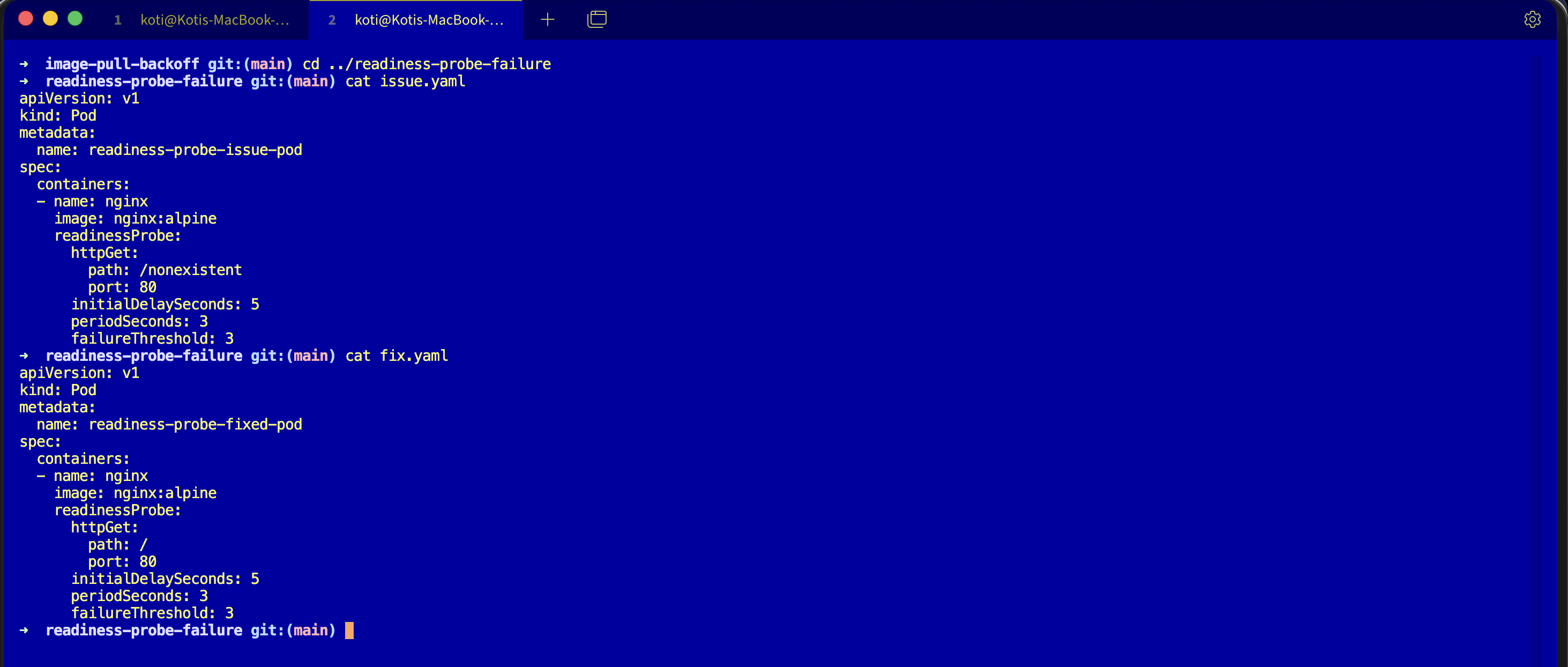
kubectl get podsThe only change is the probe path. Broken:
readinessProbe:
  httpGet:
    path: /nonexistent
port: 80Fixed:
readinessProbe:
  httpGet:
    path: /
port: 80Nginx serves / with a 200, the probe passes, the pod joins the Service endpoints within seconds.
NAME                        READY   STATUS    RESTARTS   AGE
readiness-probe-fixed-pod 1/1 Running 0 12s1/1. That is the column you actually care about.
The easiest way — with Kubilitics
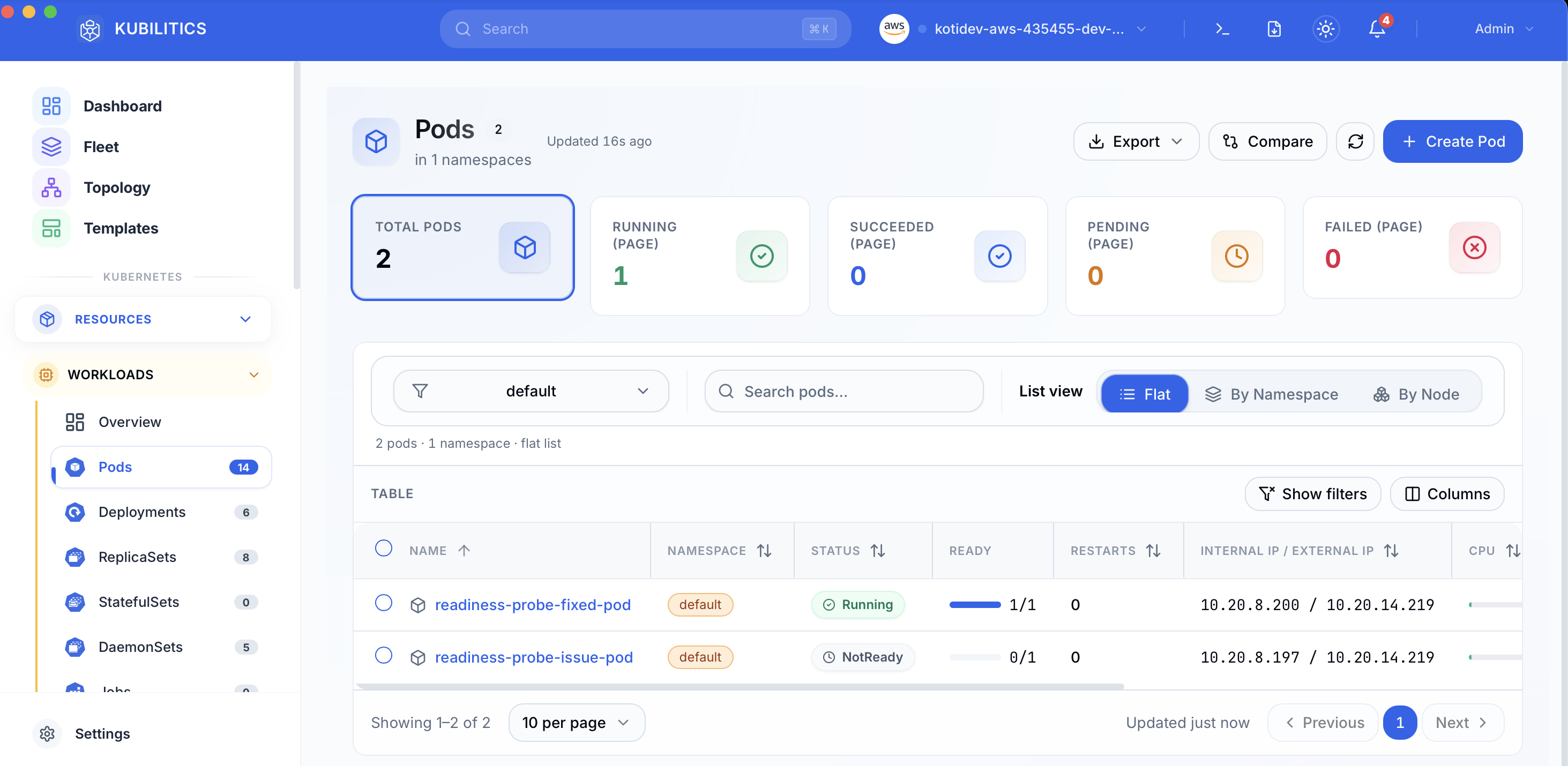
The Pods view splits the READY column out of the STATUS conflation and shows you the probe state directly, so a pod stuck Running but NotReady is badged as NotReady instead of hiding under a green-sounding Running label.
The lesson
Runningis notReady. Always read the READY column.0/1 Runningis a pod that is alive and invisible to its Service.kubectl get endpointsis the fastest confirmation. If the endpoint list is empty and your pods sayRunning, you have a probe or label selector problem, nothing else.- The probe path is a contract your app owns. Write
/healthzon purpose, serve a real 200, and keep the probe aligned with the route.
Day 5 of 35 — tomorrow the probe does not just hide the pod, it kills it.