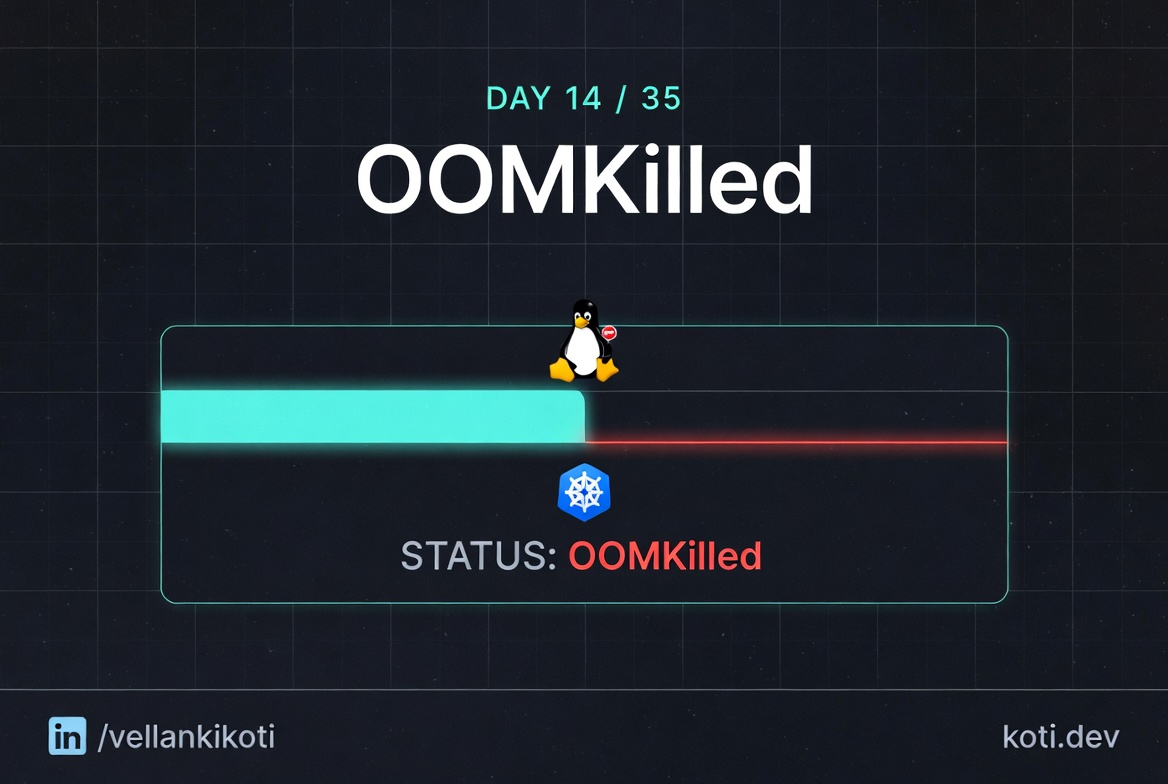
2:47 AM. A pod keeps restarting. Not crashing on startup, not failing a probe, just periodically dying and coming back. kubectl get pods shows the restart counter ticking up every few minutes, 1, 2, 3, 4. The app logs look fine right up to the last line, which is usually mid-sentence. The node is healthy, other pods on the same node are fine, the cluster has headroom. Something is killing this container specifically, and it is not Kubernetes. It is the Linux kernel, doing its job, enforcing a memory cgroup limit that I asked for, on a workload that wanted more memory than I promised it.
This is the most misread death in Kubernetes. The pod is not broken. The node is not broken. I am the one who wrote the limit too low.
The scenario
The container used more memory. The cgroup used SIGKILL.
The container crossed its memory.max boundary at the cgroup v2 layer. The Linux OOM killer selected PID 1 inside the container and sent SIGKILL. The pod recorded lastState.reason: OOMKilled. This is a hard kill with no cleanup, no graceful shutdown, no warning.
The memory bar shows usage past the limit line
The container's limits.memory: 256Mi sets memory.max on the cgroup. When usage reaches 312Mi the kernel does not throttle — it kills.
The cgroup boundary is a hard wall, not a soft limit
cgroup v2 memory.max is enforced by the kernel. When memory.current exceeds it, memory.events.oom_kill increments and the OOM killer fires immediately. There is no warning, no grace period.
SIGKILL is uncatchable — the container cannot clean up
The OOM killer sends SIGKILL (9) directly. Unlike SIGTERM, it cannot be caught or blocked. The process has zero opportunity to flush buffers or close connections. Check kubectl describe pod for lastState.reason: OOMKilled.
git clone https://github.com/vellankikoti/troubleshoot-kubernetes-like-a-pro.git
cd troubleshoot-kubernetes-like-a-pro/scenarios/oom-killed
lsdescription.md, issue.yaml, fix.yaml, oom_kill.sh. The issue pod uses the polinux/stress image to allocate 100 megabytes of memory, inside a container with a 50 megabyte limit. The arithmetic is on purpose.
Reproduce the issue
kubectl apply -f issue.yaml
sleep 10
kubectl get pod oom-killed-podNAME READY STATUS RESTARTS AGE
oom-killed-pod 0/1 OOMKilled 2 (8s ago) 35sThe status is OOMKilled. Not Error, not CrashLoopBackOff yet, the specific string OOMKilled. That is the kubelet reporting back the reason it saw in the container's exit state. Wait another minute and the restarts will climb and the status will flip to CrashLoopBackOff, because the kubelet backs off between restarts.
Debug the hard way
Go to describe and look at the container's last state:
kubectl describe pod oom-killed-podContainers:
stress:
State: Waiting
Reason: CrashLoopBackOff
Last State: Terminated
Reason: OOMKilled
Exit Code: 137
Started: ...
Finished: ...
Restart Count: 3
Limits:
memory: 50Mi
Requests:
memory: 50MiThree things to read. Reason: OOMKilled. Exit Code: 137. Limits: memory 50Mi. Exit code 137 is 128 plus signal 9. Signal 9 is SIGKILL. The kernel's OOM killer does not knock politely, it sends SIGKILL and the process dies mid-instruction. No graceful shutdown, no flush of stdout buffers. That is why your app logs end mid-sentence.
Now confirm the kernel's side of the story. On a real cluster, ssh to the node and check dmesg:
dmesg -T | grep -i oom | tailMemory cgroup out of memory: Killed process 31415 (stress)
total-vm:106216kB, anon-rss:48932kB, file-rss:764kB, shmem-rss:0kB
oom_score_adj:969The kernel logs the cgroup, the process, the memory numbers, and the OOM score adjustment. oom_score_adj is the tunable Kubernetes uses to tell the kernel which pods are more killable than others. Burstable pods get a higher score than Guaranteed pods. If the node itself runs out of memory, the kernel uses those scores to pick victims. If a single cgroup hits its own limit, the kernel kills inside that cgroup only, which is what happened here.
Why this happens
A memory limit in Kubernetes maps directly to a memory cgroup limit on the node. When the processes inside the cgroup collectively allocate more memory than the limit, the kernel has two choices. It can refuse the next allocation, which means the process has to handle an ENOMEM, which almost no application does gracefully. Or it can pick a process inside the cgroup and SIGKILL it. The kernel picks the second option almost every time, because it is cheaper and more predictable.
CPU limits behave differently. CPU is a compressible resource, the kernel can throttle you. Memory is incompressible, the kernel cannot throttle an allocation, it can only refuse it or kill somebody. That asymmetry is why CPU limits rarely kill pods and memory limits routinely do.
The failure mode that traps everybody is that the kill is per-container. The node has plenty of memory. The pod's own limit is what got crossed. From the outside, the cluster looks healthy. From inside the container, everything is on fire. You have to read the container's Last State to see it.
The fix
kubectl apply -f fix.yaml
kubectl get pod oom-killed-fixed-podNAME READY STATUS RESTARTS AGE
oom-killed-fixed-pod 1/1 Running 0 12sThe diff that matters:
resources:
  requests:
    memory: "128Mi"   # was "50Mi"
  limits:
    memory: "256Mi"   # was "50Mi"
command: ["stress", "--vm", "1", "--vm-bytes", "50M"] # was 100MTwo moves at once. Raise the limit to give the workload room, and lower the allocation to match what the workload actually needs. In production you rarely know the right number on the first try. The honest path is to set a generous limit, run the workload under real load, read kubectl top pod or a Prometheus container_memory_working_set_bytes graph, and right-size based on what you see.
The lesson
OOMKilledand exit code 137 mean the Linux kernel sent SIGKILL inside a memory cgroup. The pod is not broken, the limit was wrong.- Memory is incompressible. CPU can be throttled, memory can only be refused or killed. That is why memory limits are far more dangerous to set too low.
- Right-size memory limits from observation, not from guesses. Set generous, measure under load, then tighten.
Day 14 of 35 — tomorrow, a CrashLoopBackOff that has nothing to do with memory and everything to do with a command that was never going to work.