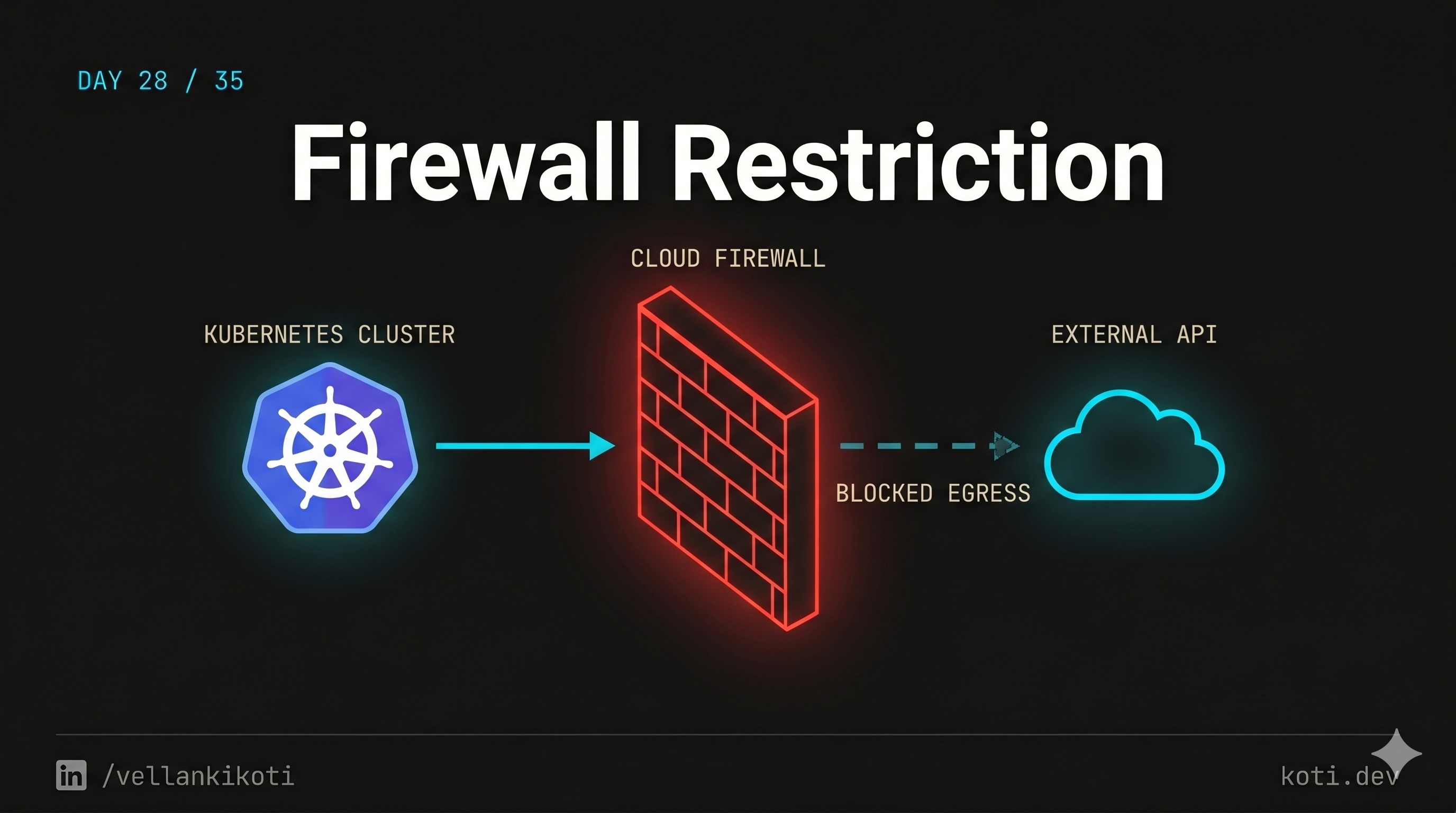
2AM, the billing service is failing to reach Stripe. Exactly five-second timeouts, every call, nothing else in the cluster showing any symptom. My first reflex is "it must be Stripe" because come on, what are the odds. Status page is green. curl from my laptop works instantly. SSH to a worker node and curl from there works. kubectl exec into the pod and curl is dead silent, five-second timeout, nothing. So the problem is sitting in the pod's own network namespace, not on the node, not upstream. Cluster-to-cluster traffic is fine, the pod hits its database happily. Only external traffic is broken, and only for this one workload. Somebody wrote an egress rule that says "you, specifically, are not allowed to talk outside", and I need to find it.
The scenario
The pod can reach the cluster. It cannot reach the internet.
Cluster-to-cluster traffic flows. Cluster-to-Stripe is silently dropped at the egress firewall. The default-deny NetworkPolicy is doing exactly what you told it to do — and exactly what you forgot you told it to do.
The pod issues the request
It runs curl https://api.stripe.com. The kernel resolves DNS through kube-dns. Up to here, everything is normal.
The CNI consults the policy
The egress NetworkPolicy in default only whitelists in-cluster CIDRs. Stripe's documentation IP is not on the list, so the SYN is silently dropped — no RST, no ICMP unreachable.
The pod sees a hang, then a timeout
From the pod's view the connection just stalls until the kernel exhausts tcp_syn_retries. No firewall log because logging was never enabled.
Reproduce it locally so your debug loop practices on real output. You need a CNI that enforces NetworkPolicy.
git clone https://github.com/vellankikoti/troubleshoot-kubernetes-like-a-pro.git
cd troubleshoot-kubernetes-like-a-pro/scenarios/firewall-restriction
lsYou will see issue.yaml, fix.yaml, description.md, firewall_restriction.sh. The issue file creates a pod with the label app: firewall-test and a NetworkPolicy that denies all egress for pods with that label.
Reproduce the issue
kubectl apply -f issue.yamlpod/firewall-restriction-pod created
networkpolicy.networking.k8s.io/deny-all-egress createdkubectl logs firewall-restriction-podblockedThe wget to google.com times out at five seconds and prints blocked. The pod itself is Running. No events, no restarts, no warnings. In production, the signature is exactly this: one workload, one destination, silent timeouts, and every other part of the cluster is fine.
Debug the hard way
Layer by layer, from the outside in. First prove the network path works for something else:
kubectl exec firewall-restriction-pod -- wget -qO- --timeout=3 http://kubernetes.defaultIf that also fails, you have a default-deny egress that includes the cluster, same category as yesterday's post. If it works but external fails, the policy is more surgical, allowing in-cluster but blocking external. Next, test from outside the pod to rule out the node and the upstream:
NODE=$(kubectl get pod firewall-restriction-pod -o jsonpath='{.spec.nodeName}')
kubectl debug node/$NODE -it --image=busybox -- wget -qO- --timeout=3 http://google.comIf this works but the pod fails, congratulations, the node can reach the internet and only the pod cannot. That is a NetworkPolicy fingerprint, or a CNI egress filter, nothing else. Now find the rule:
kubectl get networkpolicy -ANAMESPACE NAME POD-SELECTOR AGE
default deny-all-egress app=firewall-test 3mkubectl describe networkpolicy deny-all-egressName: deny-all-egress
Namespace: default
PodSelector: app=firewall-test
Policy Types: Egress
Egress: <none>Egress: <none> with Policy Types: Egress is the universal "nothing egress allowed" signature. The pod's labels match app=firewall-test, so the policy catches it. And because the scenario only has this one policy, nothing else allows any traffic, so all egress dies.
Why this happens
NetworkPolicy egress works on a pod-by-pod basis. The moment a pod is selected by any policy with policyTypes: Egress, its egress traffic is filtered by the union of all egress allow-rules across all selecting policies. Zero rules means zero allowed. One rule means only that destination. Teams get bitten because they write a policy to restrict one specific workload, forget that restricting means "deny-everything-else", and the workload loses access to DNS, to the metrics sink, and to external APIs all at once.
The other flavor of this bug lives outside Kubernetes, on the cloud. AWS security groups, GCP VPC firewall rules, Azure NSGs. The cluster nodes may have egress, but individual pods sitting behind a NAT gateway might be going out through an IP that the destination does not allow. Stripe and other payment processors often require IP allowlisting for webhook callbacks, and if your NAT gateway rotates, your callbacks start failing silently. The fingerprint is similar: only external traffic affected, in-cluster fine.
The third cause is CNI-level egress filtering. Cilium has CiliumNetworkPolicy which can do FQDN-based egress and DNS-based allowlists. Misconfigure a FQDN rule and you get the same symptom. The debug is the same as standard NetworkPolicy, just with kubectl get ciliumnetworkpolicy.
The fix
kubectl delete -f issue.yaml
kubectl apply -f fix.yamlThe scenario fix removes the policy. In a real cluster you want to keep the default-deny and add an allow for the destination:
apiVersion: networking.k8s.io/v1
kind: NetworkPolicy
metadata:
  name: allow-stripe
spec:
  podSelector:
    matchLabels:
      app: billing
  policyTypes:
  - Egress
  egress:
  - to:
    - ipBlock:
        cidr: 0.0.0.0/0
        except:
        - 10.0.0.0/8
    ports:
    - protocol: TCP
      port: 443
  - to:
    - namespaceSelector:
        matchLabels:
          kubernetes.io/metadata.name: kube-system
    ports:
    - protocol: UDP
port: 53Verify:
kubectl exec firewall-restriction-fixed-pod -- wget -qO- --timeout=3 http://google.comYou get HTML back instead of blocked. If you want stricter security, use an FQDN-based policy via Cilium or Calico and allowlist only api.stripe.com on port 443 instead of the entire internet.
The lesson
- Symptom "pod cannot reach external, everything else fine" is egress policy 95% of the time. The other 5% is NAT or cloud firewall.
kubectl debug nodelets you test from the node's network namespace in one command. If the node works and the pod does not, you have found the layer.- A default-deny egress policy is a good idea, but every one needs explicit allows for DNS, metrics, and the real destinations. Ship the allowlist and the deny together, never the deny alone.
Day 28 of 35, tomorrow we leave networking behind and step into the world of RBAC, ServiceAccounts, and the Forbidden errors that make no sense.