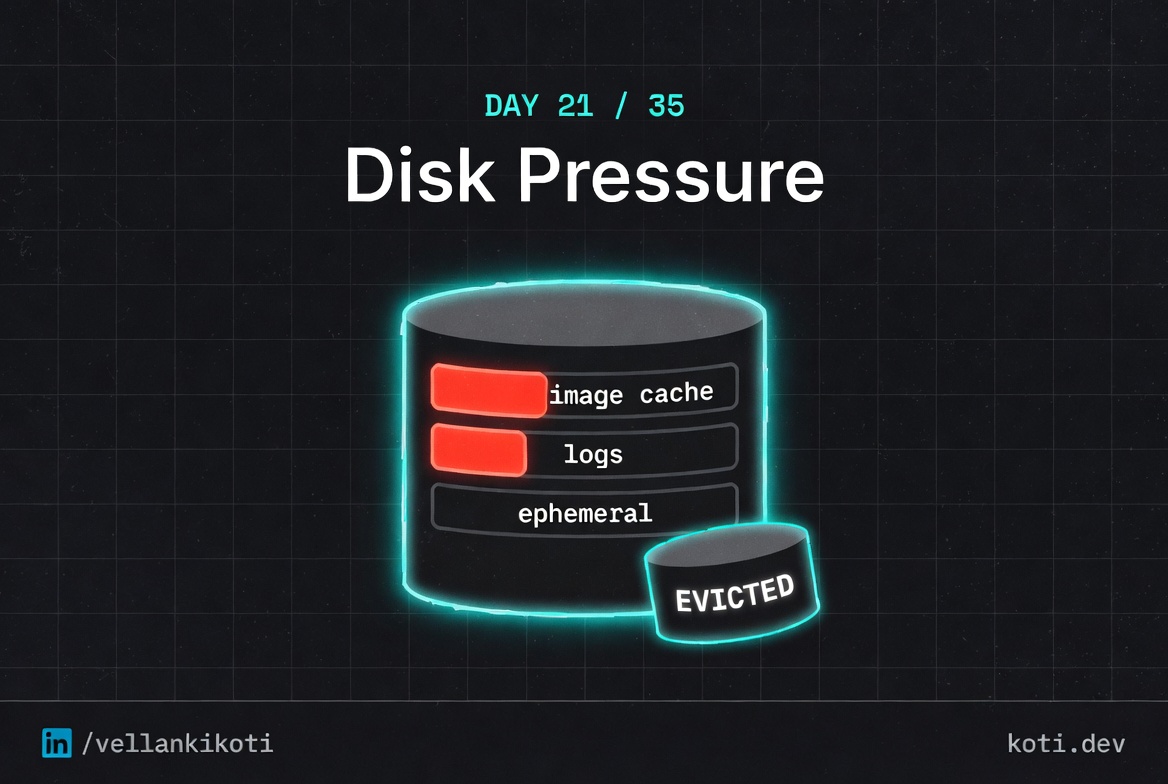
3:11 AM. A healthy pod got evicted with the reason "The node was low on resource: ephemeral-storage. Threshold quantity: 10%." The app was not misbehaving. The app was barely writing anything. But the pod spec set limits.ephemeral-storage: 100Mi and the container had filled that budget in about forty minutes because an overly enthusiastic debug log was writing one line per HTTP request into /tmp. Kubernetes noticed the pod had crossed its ephemeral-storage limit and evicted it. The logs were gone with the pod. The only evidence was a single event in the namespace, and I spent thirty minutes looking at node disk metrics before I thought to check container-level ephemeral usage.
The scenario
The pod did not crash. The kubelet evicted it.
The node's imagefs partition — where containerd stores images and writable layers — hit 92% used. kubelet's eviction manager saw imagefs.available drop below the 10% threshold and could not free enough space with image garbage collection. It set DiskPressure: True on the node and evicted pods. The pod never misbehaved. Look at the node, not the app.
The pod was evicted, not crashed — the node is the reason
When you see status: Evicted and message: low on resource: ephemeral-storage, do not start reading pod logs. Run kubectl describe node and look for DiskPressure: True in the Conditions block. That is where the story starts.
kubelet evicts when imagefs.available drops below the threshold
The default eviction-hard threshold is imagefs.available: 15%. At 8% remaining, kubelet tried image garbage collection first. When GC could not reclaim enough, it evicted pods in priority order. The signal name is imagefs.available — visible in kubectl describe node under Events.
Clean old images and add a disk alert before this happens again
Run crictl rmi --prune on the node to remove unused images. Long-term, tune imageGCHighThresholdPercent in the kubelet config to start GC earlier, and set a Prometheus alert on kubelet_volume_stats_available_bytes for the imagefs mount point.
The repo reproduces the lower-bound version: a pod with a 5Mi limit and a command that tries to write 10Mi. You cannot be more flagrant.
git clone https://github.com/vellankikoti/troubleshoot-kubernetes-like-a-pro.git
cd troubleshoot-kubernetes-like-a-pro/scenarios/crash-due-to-insufficient-disk-space
lsissue.yaml runs dd if=/dev/zero of=/tmp/fill bs=1M count=10 against limits.ephemeral-storage: 5Mi. The eviction controller is going to notice that almost immediately.
Reproduce the issue
kubectl apply -f issue.yaml
kubectl get pod crash-disk-space-pod -wWithin seconds:
NAME                    READY   STATUS    RESTARTS   AGE
crash-disk-space-pod    1/1     Running   0          8s
crash-disk-space-pod    0/1     Error     0          22s
The status flips. The container exits. Look at the pod and the reason is not in containerStatuses, it is one level up in status.reason.
Debug the hard way
kubectl get pod crash-disk-space-pod -o jsonpath='{.status.reason}{"\n"}'
# Evictedkubectl describe pod crash-disk-space-podStatus: Failed
Reason: Evicted
Message: Pod ephemeral local storage usage exceeds the total limit of containers 5Mi.Clear as it gets. The pod blew past its ephemeral-storage budget, the kubelet evicted it, and the pod is now a tombstone.
kubectl get events --sort-by=.lastTimestamp | grep crash-disk-space40s Warning Evicted pod/crash-disk-space-pod Pod ephemeral local storage usage exceeds the total limit of containers 5Mi.kubectl get pods --field-selector=status.phase=Failed -AThat last command is the one I wish I had known in year three. It lists every failed pod across every namespace, which is where evicted pods go to die until something cleans them up.
Why this happens
Every node has three distinct disks from Kubernetes's point of view, and each one can fill up independently. First, the image cache, which stores container images pulled by the kubelet. Second, the node's root filesystem, which holds pod logs, configmaps, and the kubelet's own state. Third, each pod's ephemeral storage, which is the sum of writes to emptyDir volumes and the container's writable layer. When any of these crosses a soft or hard threshold, the eviction controller starts picking pods to kill. Pods with their own ephemeral-storage limits get evicted first when they breach their personal budget, which is what happened here. Pods without limits get evicted based on node pressure, usage rank, and QoS class.
The mental model I use: ephemeral storage is memory's weird cousin. It has limits, requests, and a cgroup-style enforcement story, but the enforcement is a periodic check by the kubelet rather than an instant kernel kill. So your pod does not die the microsecond it crosses the line. It dies on the next poll, typically within ten to thirty seconds. That delay is the only thing that makes this debuggable at all, because it leaves room for the Evicted event to land before the pod goes away.
The trap is that evicted pods look like crashed pods in most dashboards. If you filter on "not Running," you see the corpse. If you only look at restartCount, you see zero, because evictions do not increment restarts. The Reason field is the only thing that tells the truth, and you have to ask for it specifically.
The fix
The repo's fix raises the ephemeral-storage limit to 100Mi and swaps the aggressive write for a calm echo:
kubectl delete -f issue.yaml
kubectl apply -f fix.yamlcommand: ["sh", "-c", "echo healthy && sleep 3600"]
resources:
limits:
ephemeral-storage: "100Mi"kubectl get pod crash-disk-space-fixed-pod
# crash-disk-space-fixed-pod 1/1 Running 0 1mFor real workloads, set both requests and limits for ephemeral-storage, configure log rotation inside the container, and redirect large writes to a real volume instead of the writable layer.
The lesson
- Evicted pods are not crashed pods. Always check
status.reasonand filter failed pods across namespaces. - Every node has three disks: image cache, root filesystem, and pod ephemeral storage. Any one of them can evict you.
- Set
ephemeral-storagelimits on every pod that writes to/tmp,/var/log, oremptyDir. Without a limit, your pod is playing the node's eviction lottery.
Day 21 of 35. Tomorrow, network. The service that resolves everywhere except the one place it matters.